
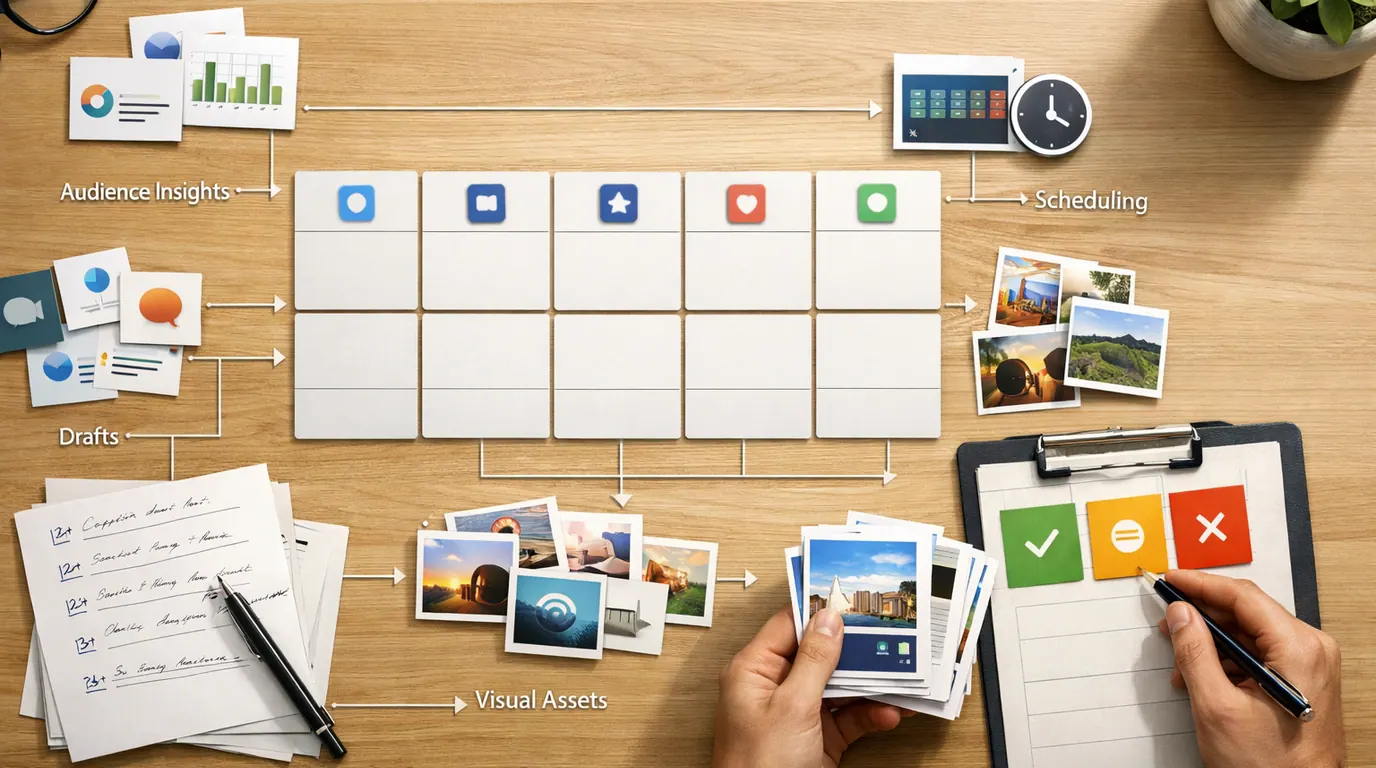
If you searched for “ai tools for social media,” the useful answer is not one magic app. Social media work splits into different jobs: researching the audience, finding angles, writing posts, making visuals, scheduling, listening, replying, reporting, and approving what goes live.
The best AI tools for social media are the ones that reduce a specific kind of rework. A creator with writer’s block needs different help than an agency scheduling 40 client posts, a B2B team repurposing webinars, or a support team watching for angry mentions.
Use this guide as a shortlist and a decision framework. Pick the bottleneck first, test two tools with the same real campaign, and keep the one that gives you usable output with the least editing, risk, and workflow drag.
Choose by task: captions, scheduling, visuals, listening, reporting, approvals, video, or customer care.
The strongest tool leaves fewer generic lines, fewer brand fixes, and fewer approval problems.
Check facts, claims, tone, comments, visuals, links, privacy, and platform fit before publishing.
Quick Picks: Best AI Tools for Social Media by Job
Start here if you need a practical shortlist. This table is organized by social media job because a good caption assistant may be a weak listening tool, and an enterprise listening platform may be overkill for a solo creator.
| Pick | Best for | Why it fits | Limit | Pricing/free-plan note |
|---|---|---|---|---|
| Buffer | Creators and small teams that need platform-aware writing plus scheduling | Buffer's AI Assistant can generate, rewrite, shorten, expand, and adapt posts for different social networks inside the publishing workflow. | It is strongest for creating and publishing posts, not deep enterprise listening or customer care. | Buffer offers free entry points and a free post generator with limits. Check current plan limits before high-volume use. |
| Hootsuite | Teams managing many channels, approvals, publishing, listening, and inbox work | OwlyWriter AI, trend-aware assistance, scheduling suggestions, listening, integrations, and governance features make it a fit for larger social operations. | It can be more platform than a small brand needs, and advanced features may sit in higher plans. | Hootsuite promotes trials and plan tiers, but pricing changes. Check current vendor pricing and feature access. |
| Canva | Visual social posts, quick designs, carousels, thumbnails, and caption ideas | Canva combines an AI social post generator with visual design, templates, brand assets, image generation, resizing, and team review. | It is a design and asset tool, not a full listening or social strategy platform. | Canva has free AI social post tools, but credits, exports, brand kits, and team features can be plan-dependent. |
| Jasper | Marketing teams that need on-brand campaign copy at scale | Jasper is built around brand voice, marketing apps, campaign workflows, and platform-aware social post generation. | It is less useful if you only need occasional captions or a lightweight scheduler. | Check current Jasper plans, agent access, trial rules, and workspace governance before standardizing. |
| Publer | Budget-conscious scheduling, calendars, AI assistance, and bulk publishing | Publer offers social scheduling, post planning, AI assistance, content recommendations, analytics, and broad channel support at a leaner price point than many suites. | It may not replace enterprise listening, advanced customer care, or large-brand governance. | Publer has a free plan and paid tiers; verify current social account limits, AI prompts, X support, and trials. |
| SocialPilot | Agencies and small teams that want scheduling, approvals, analytics, and AI credits | SocialPilot combines multi-account publishing with AI captions, hashtags, translations, approval workflow, and agency-friendly reporting. | Some advanced collaboration and automation features depend on plan tier. | The research packet cites Essentials at $25.50/month billed annually for 7 social accounts and 500 AI credits; verify current pricing. |
| ContentStudio | Content discovery, trend monitoring, RSS, curation, and planned publishing | It is useful when the problem is not only writing posts but finding ideas, monitoring topics, organizing assets, and scheduling across channels. | Discovery tools still need editorial judgment; trending content is not automatically right for your audience. | ContentStudio offers trials and paid plans. Check current AI credits, channel limits, approval features, and analytics access. |
| Sprout Social | Social listening, analytics, customer care, and cross-team insight sharing | Sprout Social is a stronger fit when social data needs to inform marketing, support, product, and executive reporting. | It is usually more investment than a creator or very small team needs for basic publishing. | Check current Sprout Social pricing, listening add-ons, user limits, and care workflow features. |
| Brandwatch | Enterprise social listening, consumer intelligence, alerts, and competitive monitoring | Brandwatch is strongest when the job is understanding conversation volume, sentiment, visual mentions, spikes, and long-term brand patterns. | It will not solve weak content angles by itself; someone still has to turn insight into posts and campaigns. | Pricing is typically sales-led or plan-dependent. Confirm data access, history, seats, alerts, and export rights. |
| ChatGPT or Gemini | Ideation, angle generation, critique, repurposing, and prompt-based workflows | General assistants are useful for turning a blog, webinar, launch note, or customer question into post angles before final editing. | They are not social management suites and can produce generic or inaccurate claims if the prompt lacks source material. | Free and paid access differs by model, file, image, and usage limits. Check current terms and avoid uploading sensitive data. |
How We Chose the Shortlist
This is not a live benchmark, a hands-on testing claim, or a full pricing audit. The shortlist is based on the supplied research packet, official product pages checked during drafting, and the recurring search pattern for this query: readers want named tools, “best for” labels, pricing caveats, and clear human-review points.
The evaluation criteria were practical: platform-specific writing, visual creation, scheduling, approvals, social listening, analytics, inbox support, brand controls, exportability, free-plan limits, privacy risk, and how much human editing remains. AI for social media software should be judged by the work it makes easier to inspect, not by the number of AI features on the landing page.
For current product details, check the vendor pages before subscribing: Buffer AI Assistant, Hootsuite OwlyWriter AI, Canva’s AI social media post generator, Jasper for social media, Publer plans, SocialPilot AI Assistant, ContentStudio, Sprout Social Listening, and Brandwatch Listen. Pricing, credits, connected networks, and AI feature names can change quickly.
Product Recommendations by Workflow
Buffer for platform-aware drafting and publishing
Buffer is a good first choice for creators, founders, and small teams that need social media writing close to scheduling. Its AI Assistant is useful for turning a rough idea into post drafts, adapting wording for each network, shortening or expanding a post, and keeping ideas in the same place as the publishing calendar.
Best for: a marketer repurposing one blog post into a LinkedIn post, an X thread, an Instagram caption, and a short YouTube community post. Buffer helps when the work is less about deep strategy and more about turning approved material into channel-ready drafts.
Human review point: platform-aware does not mean audience-aware. Delete generic hooks, check claims against the source content, and make sure the post still sounds like the person or brand publishing it.
Hootsuite for larger social operations
Hootsuite fits teams that need a broader operating system: writing help, scheduling, inbox work, listening, integrations, compliance tools, and reporting. Its AI features are most useful when they sit inside an approval workflow instead of floating in a separate writing app.
Best for: a multi-brand team that needs to create posts, route approvals, suggest posting windows, monitor mentions, and summarize performance without moving between five separate tools.
Human review point: do not automate customer-facing responses without escalation rules. AI can help draft replies and summarize issues, but a complaint, refund request, safety concern, or legal question needs a clear human owner.
Canva for visual production
Canva is the easiest recommendation when the bottleneck is visual output. It can help generate captions, social post concepts, images, templates, thumbnails, carousels, and resized variants. For small teams without a dedicated designer, that is often more useful than another text generator.
Best for: a local business creating a weekly pack of Instagram posts, stories, Facebook graphics, and event flyers from one campaign idea. Canva keeps generation, layout, brand assets, and exports close together.
Human review point: visual polish can hide weak messaging. Check hierarchy, accessibility, image rights, product claims, and whether the design fits the channel. For deeper visual production, use the workflow in our guide to AI image generators and the broader review notes in AI design tools for designers.
Jasper, ChatGPT, and Gemini for copy, angles, and repurposing
Jasper is stronger when a marketing team needs brand voice, campaign structure, and repeatable social content generation. ChatGPT and Gemini are more flexible general assistants for brainstorming angles, critiquing drafts, summarizing source material, and turning one asset into several post ideas.
Best for: taking a webinar transcript, product launch note, customer FAQ, or long-form blog post and asking for five different post angles: educational, contrarian, how-to, behind-the-scenes, and customer-objection led.
Human review point: generative AI tools for social media are prone to vague claims when they lack source material. Give them real inputs, then ask them to mark unsupported statements before you publish. If you need reusable prompt patterns, start with our ChatGPT prompts for marketing and better AI prompts guides.
Publer and SocialPilot for lean scheduling with AI assistance
Publer and SocialPilot are good shortlist picks when your main need is planning, scheduling, and managing multiple accounts without buying a heavyweight enterprise suite. Both pair publishing workflows with AI-assisted captioning and practical calendar features.
Best for: an agency or small team that already has content ideas but needs a faster path from draft to scheduled post, including approval steps, saved drafts, hashtags, translations, bulk scheduling, or client reporting.
Human review point: AI for social media automation tools are useful for repeatable production, not for deciding what your brand should say. Keep approval gates for claims, visuals, customer replies, and any post that comments on news, politics, health, finance, or a crisis.
ContentStudio for discovery and content curation
ContentStudio belongs on the shortlist when the problem is idea supply. The research packet calls out trending topics, AI-powered post suggestions, influencer discovery, RSS integration, and curation workflows. That makes it useful for teams that need to stay close to what their niche is already discussing.
Best for: a B2B marketer who needs weekly thought-leadership topics, a founder who wants to comment on industry news without starting from a blank page, or an agency building calendars around content pillars and recurring themes.
Human review point: trend discovery is not strategy. A topic can be popular and still wrong for your brand, audience maturity, or offer. Use discovery tools to widen your inputs, then choose the angles that connect to a real customer problem.
Sprout Social and Brandwatch for listening, analytics, and insight
Sprout Social and Brandwatch are better fits when social media is a listening and intelligence channel, not only a publishing channel. They can help teams monitor mentions, sentiment, spikes, audience language, customer issues, competitor signals, and conversation patterns across networks and other online sources.
Best for: a brand that needs to understand why sentiment shifted after a launch, what customers keep asking in comments, which competitor messages are gaining attention, or what themes should inform product, support, and content planning.
Human review point: sentiment summaries and automated alerts need context. Sarcasm, slang, organized campaigns, regional language, and platform-specific behavior can distort analysis. Treat AI summaries as leads to investigate, not final truth.
AI Tools for Social Media Comparison: Pick by Bottleneck
Use this AI tools for social media comparison when your team is choosing between products. The goal is to match the tool pattern to the bottleneck, not to buy the product with the longest feature list.
| Bottleneck | Tools to try first | Good output | Human check |
|---|---|---|---|
| Blank content calendar | Buffer, Jasper, ChatGPT, Gemini, ContentStudio | Post angles, drafts, content pillars, repurposed snippets, and campaign sequences | Check customer relevance, proof, brand voice, and whether the calendar has enough variety. |
| Too many channels to format manually | Buffer, Hootsuite, Publer, SocialPilot, Jasper | Platform-specific versions for LinkedIn, Instagram, TikTok, X, Facebook, YouTube, or Threads | Review channel norms, link placement, length, hashtags, and calls to action. |
| Visual production is slow | Canva, Adobe Express-style tools, AI image generators | Post templates, thumbnails, carousels, story graphics, and resized assets | Check rights, accessibility, text accuracy, brand fit, and image quality. |
| Need trend and idea discovery | ContentStudio, Sprout Social, Brandwatch | Topic clusters, content recommendations, RSS finds, mention themes, and competitor signals | Reject trends that do not connect to the audience, offer, or brand position. |
| Need scheduling and approval workflow | Hootsuite, Publer, SocialPilot, Buffer, ContentStudio | Planned queue, approval states, client notes, scheduled batches, and calendar visibility | Confirm ownership, final approval, time zones, recurring posts, and cancellation controls. |
| Need listening and customer care | Sprout Social, Brandwatch, Hootsuite | Mention summaries, sentiment cues, spike alerts, inbox triage, and issue themes | Escalate sensitive replies, complaints, legal issues, and support cases to humans. |
| Need performance reporting | Sprout Social, Hootsuite, Brandwatch, ContentStudio, SocialPilot | Plain-language report summaries, winning themes, weak posts, and next tests | Verify metrics, attribution, dates, and whether AI is guessing at causation. |
AI for social media platforms matters most when several people touch the same campaign. The tool should make ownership, source material, drafts, channel variations, approvals, and performance visible. If it only generates more text, it may increase review load instead of reducing it.
How to Build a Small Social Media AI Stack
The strongest social media AI stack is not the tool that writes the most posts; it is the workflow that keeps audience insight, brand voice, timing, and review in the same loop.
Most teams should start with two or three tools, not ten. A practical stack can be as simple as a general assistant for ideas, Canva for visuals, and Buffer, Publer, or SocialPilot for scheduling. Larger teams may add Hootsuite, Sprout Social, or Brandwatch when approval, listening, support, and analytics become real bottlenecks.
- Name the weekly bottleneck. Write one sentence: “We lose time when…” Examples include creating captions, resizing visuals, finding angles, approving posts, reporting results, or replying to comments.
- Choose two candidate tools. Test tools in the same category. Do not compare Canva to Brandwatch if the real problem is scheduling.
- Use one real campaign. Feed both tools the same approved source material: a blog post, launch note, event brief, customer FAQ, or webinar transcript.
- Score edit distance. Count how much you must fix: facts, voice, hook, CTA, hashtags, visual hierarchy, platform format, approval steps, and exports.
- Publish a reviewed mini-batch. Schedule a small set of posts, then inspect comments and performance before rolling the tool into every channel.
- Save the repeatable pattern. Keep the source, prompt, review checklist, approval owner, and final post variants together so the workflow improves over time.
For team rollout, use the same governance mindset as a broader AI productivity stack: define who owns the workflow, what data can be uploaded, how output is approved, and when a human must step in. Our guide to AI productivity tools for teams covers that operating layer in more detail.
Free and Paid Plan Caveats
Start with free AI tools for social media when the work is low risk: brainstorming hooks, rewriting a caption, making a test graphic, or trying a scheduler with one or two channels. Free tools are useful for learning the workflow before a subscription becomes another recurring cost.
Check these details before upgrading:
- Generation limits: free post generators may cap daily outputs, AI credits, file uploads, or model access.
- Connected channels: some plans limit social accounts, workspaces, users, or specific networks such as X.
- Approval workflow: agencies and regulated teams need permissions, client review, audit trails, and scheduled-post controls.
- Brand controls: look for style guides, saved voice, approved terminology, asset libraries, and reusable campaign briefs.
- Analytics history: free plans may keep limited reporting history, which weakens trend analysis and month-over-month review.
- Export and lock-in: make sure you can export captions, calendars, reports, assets, and historical content if you change tools.
- Privacy and training: do not upload private customer messages, unreleased campaigns, creator contracts, or sensitive analytics into unapproved tools.
Pricing deserves a quick warning. Social media platforms change APIs, AI vendors change credit models, and tool tiers shift often. Treat exact pricing in any roundup as a starting clue, then verify the vendor page before subscribing or moving client work.
Everyday Examples You Can Use This Week
Turn one approved article into a week of posts
Take a published article or newsletter and ask ChatGPT, Gemini, Jasper, or Buffer to create five angles: practical tip, mistake to avoid, customer objection, short story, and checklist. Then adapt each angle for LinkedIn and Instagram.
Human review: remove generic lines, check the claim against the article, and make sure the CTA fits the platform. Do not post five rewrites that all make the same point.
Build a visual post pack without a designer
Use Canva to turn one campaign idea into an Instagram carousel, LinkedIn image post, story frame, and thumbnail. If you generate images, write the prompt like a small creative brief: subject, composition, mood, format, brand colors, exclusions, and review rules.
Human review: inspect every word in the image, confirm visual rights, and make sure the design remains readable on mobile.
Use listening to choose better angles
In Sprout Social, Brandwatch, ContentStudio, or a lighter monitoring workflow, collect recurring comments, questions, complaints, and competitor themes. Turn those into post ideas before writing the calendar.
Human review: do not mistake loud comments for the whole market. Look for patterns across channels, customer segments, and support data.
Schedule a lean reviewed batch
Use Publer, SocialPilot, Buffer, or Hootsuite to schedule a small batch of approved posts for the week. Keep the original source material and review notes attached to the campaign if the platform allows it.
Human review: check time zones, duplicated posts, broken links, outdated offers, and whether anything should be paused because of news or customer issues.
Where AI Helps, and Where Human Review Must Stay
AI tools are useful when the work is repetitive, source material is clear, and the output can be reviewed quickly. They are risky when they make a weak strategy look complete.
Works Well When
- You need more draft options from approved source material.
- You repeat channel formatting, resizing, scheduling, or reporting work every week.
- You have a clear brand voice, product facts, and approval owner.
- The tool keeps drafts, assets, schedules, analytics, and review steps close together.
- Listening or analytics tools surface patterns a human can investigate.
Watch Out For
- The tool promises to hack the algorithm or guarantee reach.
- Posts are published without checking facts, tone, claims, links, and visuals.
- Customer replies, complaints, or regulated claims are automated without escalation.
- The workflow requires uploading private data into a vendor your team has not approved.
- The calendar gets fuller but the content angles do not become more relevant.
The caution from real social media managers is consistent: no tool fixes an offer, audience, or angle that is not landing. Use AI to speed up research, variation, scheduling, and review. Do not use it to avoid figuring out why people should care.
For privacy review, especially when tools touch customer messages or analytics exports, use the checklist in our AI privacy concerns guide before uploading sensitive material.
The Bottom Line
The best AI tools for social media depend on the job. Buffer, Publer, SocialPilot, and Hootsuite are strong starting points for publishing and scheduling. Canva helps with visuals. Jasper, ChatGPT, and Gemini help with copy and repurposing. ContentStudio helps with discovery. Sprout Social and Brandwatch help when listening, analytics, and customer care become central.
Do not buy the broadest platform first. Run one real campaign through two tools, compare the rework, check the approval flow, and keep the tool that makes better posts easier to review.
Frequently asked questions
What are the best AI tools for social media?
The best AI tools for social media depend on the bottleneck. Buffer, Publer, SocialPilot, and Hootsuite help with scheduling and publishing; Canva helps with visuals; Jasper, ChatGPT, and Gemini help draft and repurpose copy; Sprout Social and Brandwatch are stronger for listening, analytics, and customer care workflows.
What should I use AI for in social media marketing?
Use AI for first drafts, post variations, repurposing long content, hashtag ideas, image concepts, posting-time suggestions, trend summaries, comment triage, and reporting summaries. Keep strategy, audience judgment, brand voice, claims, customer responses, and final approval with a human reviewer.
Are there free AI tools for social media?
Yes. Canva, Buffer, SocialPilot, ChatGPT, Gemini, and other tools offer free generators, trials, credits, or limited plans. Free access is useful for testing fit, but check limits on daily generations, connected channels, scheduling, exports, brand kits, analytics history, AI credits, and commercial-use terms before building a workflow around it.
Can AI tools replace a social media manager?
No. AI can speed up drafting, scheduling, listening, and reporting, but it cannot fully own positioning, audience empathy, crisis judgment, creator taste, customer context, compliance, or brand risk. A good social media manager uses AI to create options faster, then chooses what deserves to be published.
How do I compare AI for social media software?
Compare tools with one real weekly workflow: create three posts from the same source, adapt them for two platforms, schedule one reviewed batch, inspect analytics, and summarize next actions. Score each tool by edit distance, approval control, privacy, integrations, export options, and whether the output actually reduces rework.
What should humans review before publishing AI-generated posts?
Review the claim, source, audience fit, platform tone, visual rights, accessibility, hashtags, links, disclosure needs, and whether the post sounds like your brand. For replies and DMs, check customer history and escalation rules. For regulated industries, run AI-assisted content through the same approval process as human-written content.





