
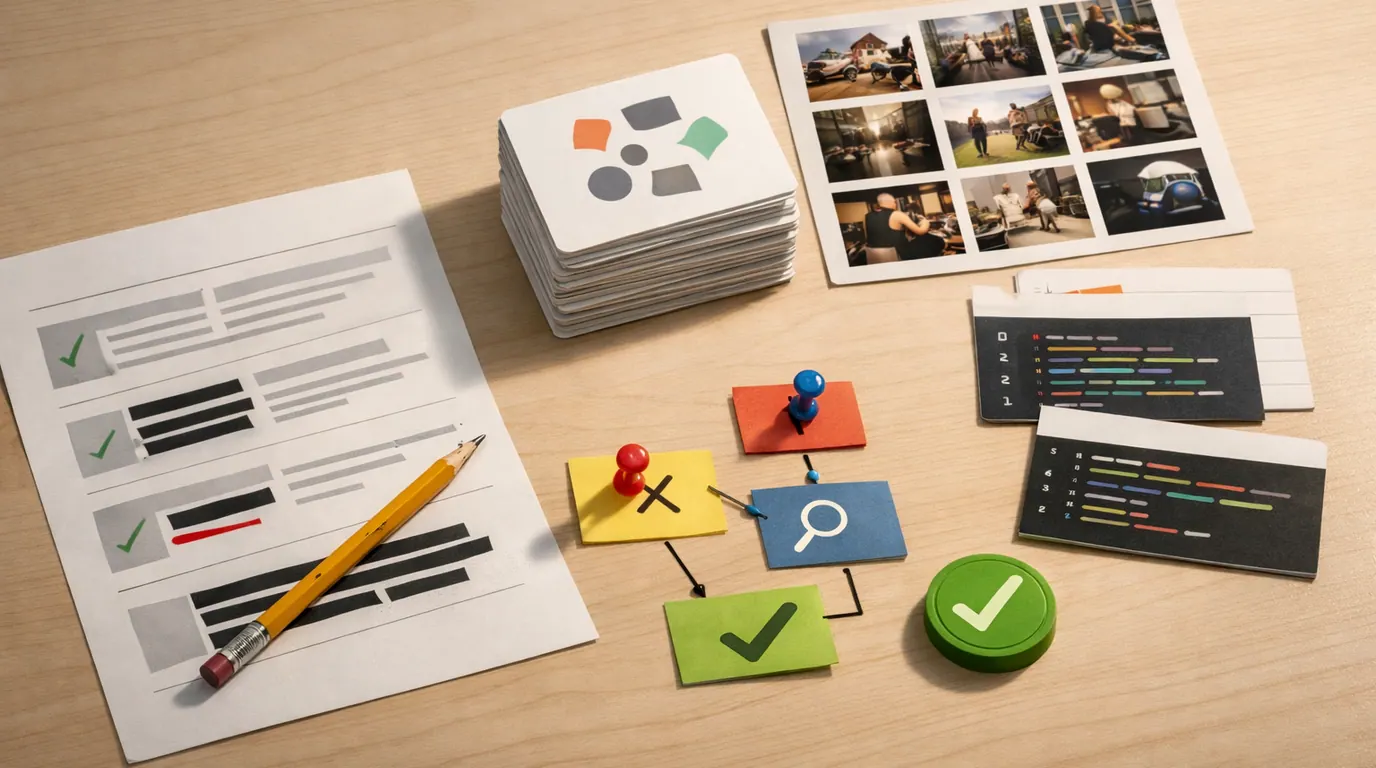
If you searched for “generative ai explained,” the useful answer is not a technical lecture. Generative AI is a category of AI that creates new outputs from instructions: a paragraph, image, code snippet, spreadsheet formula, support reply, audio draft, product concept, or workflow summary.
The key word is “creates.” Generative AI does not only sort data or predict a number. It turns patterns, context, and your prompt into something new enough to review, edit, reject, or build on.
This generative AI explained guide gives you the plain definition, concrete everyday examples, a practical workflow, and the review points that keep the technology useful instead of risky.
It creates text, images, code, audio, video, synthetic data, plans, summaries, and other draft outputs.
Use it where a person can inspect the input, output, assumptions, and final decision before anything ships.
Generative output can sound confident even when facts, sources, logic, rights, or privacy boundaries are wrong.
Generative AI Explained: The Plain Answer
Generative AI explained in one sentence: it is artificial intelligence that can produce new content or structured output in response to a prompt.
That output can be practical and ordinary: a rewritten email, a meeting recap, a product description, a lesson outline, an image concept, a SQL query, a slide structure, a chatbot answer, or a first draft of code. It can also be scientific or technical, such as synthetic data, molecule ideas, protein structures, or material designs.
IBM and AWS describe generative AI around the same core idea: AI that creates content from a request. Microsoft emphasizes that these systems learn from large datasets and generate new text, images, code, and other outputs from patterns. MIT News is useful because it shows that the category reaches beyond chatbots into areas such as materials and protein design.
The question “what is generative AI” is easier to answer when you compare it with older AI jobs:
| AI job | Typical output | Everyday example | Human review point |
|---|---|---|---|
| Predictive AI | A forecast, score, or probability | Predict which customers may churn next month | Check whether the data and outcome are fair, current, and useful |
| Classification AI | A label or category | Route a support ticket as billing, technical, or urgent | Review unclear or high-impact cases before action |
| Recommendation AI | A ranked set of options | Suggest movies, products, articles, or next steps | Watch for bias, filter bubbles, and weak feedback signals |
| Generative AI | A new draft, artifact, or structured response | Write a reply, summarize notes, create an image concept, or generate code | Verify facts, sources, privacy, originality, and whether the draft solves the job |
If you want broader AI explained before going deeper, start with our types of artificial intelligence guide and artificial intelligence examples. If you want the model hierarchy behind modern systems, our machine learning vs deep learning comparison explains where neural networks fit.
Use Cases You Can Recognize Immediately
The most useful generative AI explained use cases are not futuristic. They are repeated moments where someone needs a first draft, a clearer version, a summary, a variation, or a structured starting point.
| Use case | Prompt input | Generated output | What to check |
|---|---|---|---|
| Email rewrite | Audience, goal, rough notes, tone, and must-include facts | A clearer reply, follow-up, or apology draft | Relationship, commitments, private details, and unsupported claims |
| Meeting summary | Transcript, agenda, participants, and decision criteria | Decisions, action items, blockers, and owner list | Whether actions match what people actually agreed to |
| Learning support | Topic, learner level, examples, and gaps | Explanation, practice questions, analogies, or feedback | Accuracy, age fit, and whether it helps learning instead of replacing it |
| Design concept | Audience, brand constraints, format, mood, and reference notes | Image direction, layout ideas, copy variants, or asset prompts | Rights, accessibility, realism, and brand fit |
| Code assistance | Existing code, error message, intended behavior, and constraints | Explanation, test idea, refactor, or draft function | Security, edge cases, tests, dependencies, and maintainability |
| Business workflow | Ticket, form, document, CRM note, or spreadsheet row | Classification, summary, draft response, extracted fields, or next-step suggestion | Data sensitivity, approval rules, and exception handling |
For better prompt mechanics inside these examples, use the task, context, constraints, format, and review pattern in our guide to writing better AI prompts. The better your brief, the less the model has to infer.
How Generative AI Works Without the Jargon
A generative model learns patterns from training data, then uses the context you provide to generate a likely and useful output. For text, that often means predicting sequences of words or tokens. For images, it often means building an image from learned visual patterns and constraints. For code, it means combining language patterns with programming syntax, examples, and instructions.
The details vary by model type, but the working loop is usually simple:
- Training builds pattern knowledge. The model learns relationships in large collections of text, images, code, audio, video, or structured data.
- The prompt sets the task. Your instruction, files, examples, constraints, and desired format tell the model what kind of output to produce.
- The model generates a draft. It predicts a response that fits the prompt and its learned patterns.
- Tools or retrieval may add context. Some systems can search approved documents, call business tools, run code, or use a knowledge base before answering.
- A person or workflow reviews the result. The final value comes from checking facts, editing, testing, approving, or feeding the output into a controlled next step.
This is why generative AI is powerful and imperfect at the same time. It can create a useful draft quickly because it has learned many patterns. It can also make mistakes because fluent generation is not the same thing as verified truth.
Generative AI is also not the same as a search engine. A search engine retrieves and ranks existing pages. A generative system creates an answer or artifact. Some modern tools combine both, but you still need to know which part is retrieved evidence and which part is generated synthesis.
A Generative AI Explained Strategy for Choosing Tasks
A practical generative AI explained strategy is to start with work that is frequent, messy, and reviewable. Do not start with the highest-stakes decision in the business. Start with a bottleneck where a draft, summary, classification, or suggested next step saves time while a human stays accountable.
If your search was “best generative AI explained,” treat the best answer as the one that helps you choose a safe use case, not the one that names the most impressive model. The right tool and workflow depend on the job.
Use this decision table before you add generative AI to a task:
| Question | Good signal | Bad signal | Decision |
|---|---|---|---|
| Is the output reviewable? | A person can inspect and correct it before use | The model acts invisibly or makes final decisions | Use AI for drafts, not final authority |
| Is the input allowed? | The data is public, approved, anonymized, or contractually protected | The prompt contains private, regulated, or confidential material | Set data rules before testing |
| Is the task repeated? | The team does it weekly or daily with similar inputs | It is rare, ambiguous, or politically sensitive | Automate repeated support, not fragile judgment |
| Is quality measurable? | You can compare outputs against examples, rubrics, tests, or edit time | Success is vague or based only on novelty | Define acceptance criteria |
| Is failure manageable? | A wrong draft is caught before it affects people | A wrong answer changes money, access, health, legal rights, or employment | Add escalation or avoid AI for now |
For team rollouts, connect this choice to the operating discipline in our AI workflow automation guide. A useful AI step needs an owner, input boundary, output standard, review point, and fallback.
A Practical Generative AI Explained Workflow
The safest generative AI explained workflow is small enough to repeat. It turns the model into a drafting and reasoning aid, not a hidden decision maker.
- Name the job. Decide whether you need a summary, rewrite, brainstorm, comparison, extraction, code explanation, image concept, or next-step plan.
- Provide real context. Give the source notes, audience, constraints, examples, desired format, and any facts the model must not invent.
- Ask for uncertainty. Tell the model to flag assumptions, missing information, risks, and claims that need verification.
- Review against criteria. Check facts, logic, tone, privacy, originality, accessibility, and whether the output solves the actual problem.
- Revise or reject. Use follow-up prompts for structure and clarity, but do not polish an output that is wrong at the premise level.
- Save what worked. Turn reliable prompts, rubrics, and review notes into a reusable workflow for the next similar task.
Here is the practical difference: a weak workflow asks, “Write me something good.” A strong workflow says, “Use these notes, for this audience, under these constraints, in this format, and mark anything that needs verification.”
The useful test is not whether an output feels impressive; it is whether a capable person can inspect the inputs, the draft, and the decision before the work reaches someone else.
Human Review Points That Matter
Generative AI can reduce blank-page work, but it can also hide weak assumptions behind smooth language. IBM’s generative AI explainer notes that many models can be hard to interpret. In practical terms, that means you should design review points around consequences, not around how confident the answer sounds.
Works Well When
- Use generative AI for brainstorming, outlining, rewriting, summarizing, translating, explaining, formatting, drafting, and creating options.
- Use it when the source material is approved and the output will be reviewed before publication or action.
- Use it to prepare work for a person who already understands the domain and can judge the result.
Watch Out For
- Do not rely on it as the only source for legal, medical, financial, safety, hiring, academic, or account-specific decisions.
- Do not paste private customer, employee, student, patient, source-code, contract, or unreleased business data into unapproved tools.
- Do not treat citations, benchmarks, quotations, or current facts as reliable until they are checked against original sources.
The main cautions are practical:
- Hallucinations: the model may invent facts, sources, names, dates, numbers, or product details.
- Privacy: prompts, files, logs, embeddings, and integrations can expose sensitive data if the tool is not approved.
- Bias: training data and workflow design can reflect unfair patterns or missing perspectives.
- Copyright and authorship: generated outputs can raise questions about source material, reuse rights, attribution, and originality.
- Over-automation: a generated answer can slip into production before anyone checks whether it is true or appropriate.
- Dependency: teams can lose skill if AI always completes the thinking instead of supporting it.
For a deeper data-risk frame, use our AI privacy concerns guide before uploading sensitive documents or connecting business systems.
A Generative AI Explained Checklist
Use this generative AI explained checklist before you trust a generated output:
- Task: Can you state the job in one sentence without using vague words like “optimize” or “improve”?
- Input: Are the source materials approved, current, and safe to share with this tool?
- Context: Did you provide the audience, constraints, format, examples, and non-negotiable facts?
- Evidence: Does the output separate sourced facts from generated interpretation?
- Review: Who checks accuracy, privacy, tone, rights, and downstream impact?
- Fallback: What happens when the model refuses, guesses, contradicts a source, or produces low-quality work?
- Reuse: Is the prompt or workflow worth saving, or was this a one-off experiment?
If most answers are unclear, the task is not ready for generative AI. Narrow the job, reduce the data risk, or keep the work manual until the review path is obvious.
The Bottom Line
Generative AI is best understood as a draft and transformation engine. It creates new text, images, code, summaries, plans, and other artifacts from prompts and learned patterns. That makes it useful for everyday work, but not automatically trustworthy.
Use it where the output is reviewable, the data is allowed, the failure cost is manageable, and a person remains responsible for the final decision. Avoid it where accuracy, consent, rights, privacy, safety, or accountability cannot be checked.
The plainest rule is also the strongest one: let generative AI prepare work, then make a human own the judgment.
Frequently asked questions
What is generative AI in simple terms?
Generative AI is software that creates new outputs, such as text, images, code, audio, video, summaries, or plans, after you give it a prompt. It does not think like a person. It predicts useful patterns from training data and context, then produces a draft that still needs review.
How is generative AI different from regular AI?
Traditional AI often classifies, predicts, ranks, detects, or recommends. Generative AI creates new content or structured outputs. A fraud model might flag a payment as risky, while a generative model might draft a customer email, produce a product image concept, summarize a meeting, or write code.
Does generative AI copy from the internet?
Generative AI usually produces a new output based on patterns learned during training and context supplied by the user, not a direct lookup. It can still echo familiar phrasing, make unsupported claims, or create copyright and attribution concerns, so important outputs need source checks and editing.
What are good generative AI use cases for beginners?
Good beginner use cases are low-risk drafts: brainstorming ideas, summarizing notes, rewriting emails, outlining lessons, explaining code, creating test data, planning a trip, or turning messy notes into a checklist. Avoid private, legal, medical, financial, or customer-impacting work until you have controls.
Why does generative AI make mistakes?
Generative AI is optimized to produce plausible outputs from patterns, not to guarantee truth. It can misunderstand context, invent citations, miss recent changes, overfit to wording in the prompt, or hide uncertainty behind fluent language. Treat it as a drafting partner, not an authority.
How should a business start using generative AI?
Start with one repeated workflow where the output is easy to inspect, such as support summaries, internal search, meeting notes, marketing drafts, or spreadsheet explanation. Define allowed data, review ownership, quality checks, escalation rules, and what the AI is not allowed to decide.





