
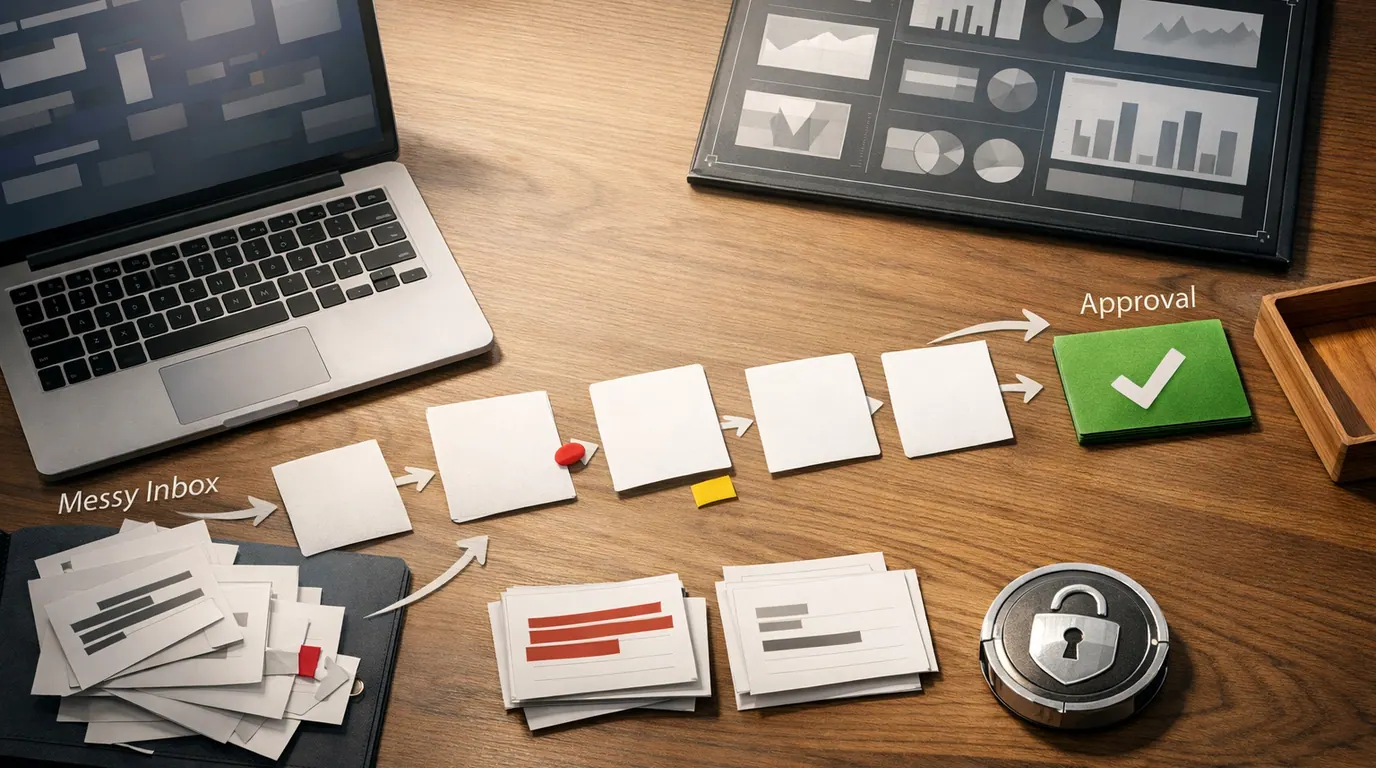
If you searched for “ai for business”, the useful answer is not a list of every new AI app. The useful answer is a way to pick one business problem, choose the right tool category, protect the data, and decide where a person still reviews the work.
AI for business is most valuable when it turns messy work into a reviewable next step: a draft, summary, route, forecast, checklist, record update, or decision brief. It is weakest when a company buys tools before it knows which workflow should change.
Use this AI for business guide as a practical operating plan. It covers the main use cases, a shortlist of AI tools for business, a workflow map, a one-page strategy template, and the human review points that keep the work dependable.
Pick a repeated task where the input is messy, the output is inspectable, and a person already owns the result.
The AI should create a draft, classification, summary, forecast, or route that a teammate can check before action.
Define allowed data, approval points, failure paths, and ownership before a pilot reaches customers or source systems.
What AI for Business Means in Practice
AI for business means applying artificial intelligence to business work: customer support, sales, marketing, finance, operations, HR, product, research, analytics, coding, and knowledge management. In plain terms, AI helps a team read, classify, summarize, draft, compare, predict, route, or automate work that used to need more manual effort.
The U.S. Small Business Administration frames AI as a way for small businesses to save time, manage costs, draft content, brainstorm, and solve operational problems before they happen. IBM’s overview of AI in business points to similar everyday uses: content creation, market research, software development, knowledge discovery, productivity, predictive analytics, and computer vision.
That range is useful, but it can also make the topic feel vague. The practical move is to separate three layers:
- Assistant work: drafting, editing, summarizing, brainstorming, translating, creating checklists, and preparing first-pass analysis.
- Workflow work: classifying requests, extracting fields, routing tickets, updating records, creating tasks, and asking for approval.
- Decision support: forecasting demand, finding anomalies, comparing options, preparing management briefs, and surfacing risks for a person to judge.
The best first AI project is usually a dull handoff with clear inputs, not the flashiest autonomous agent demo.
Quick Picks: Best AI for Business by Job
For a reader searching for the best AI for business, the right answer depends on the job. A general AI assistant, a document research tool, a conversation intelligence platform, an operations agent, and a planning tool solve different problems. Start with the work you want to improve, then compare the tool.
| Pick | Best for | Why it fits | Limit | Pricing/free-plan note |
|---|---|---|---|---|
| ChatGPT Business or Enterprise | Broad employee productivity, writing, analysis, coding support, custom workspace GPTs, and app-connected knowledge work | The research packet notes OpenAI business features such as data analysis, canvas, shared projects, tasks, record mode, custom workspace GPTs, Codex, workspace agents, and integrations with business apps. | A general assistant can create confident but wrong work. Define review rules before using it for customer, legal, financial, or operational outputs. | Check current OpenAI pricing, plan limits, data controls, workspace administration, and connector availability before rollout. |
| Google Workspace with Gemini and NotebookLM | Teams already working in Gmail, Docs, Sheets, Slides, Drive, and large document sets | Google's business training material highlights AI support for customer messages, strategies, proposals, platform-specific posts, document analysis, and Workspace-native work. | Good document workflows still need source checking. Generated proposals, summaries, and messages should be reviewed against the underlying material. | Google programs and access offers can change. Check current Workspace, Gemini, NotebookLM, and business training availability before buying. |
| Microsoft AI learning path and Microsoft ecosystem | Organizations standardizing AI adoption, governance, responsibility assignment, and business-user enablement | Microsoft Learn emphasizes AI strategy, responsible adoption, assigning responsibilities, empowering subject matter experts, and scaling AI projects in a planned way. | Training is not implementation. A team still needs a specific workflow, approved tools, data controls, and success metrics. | Check current Microsoft licensing, Copilot availability, admin controls, data commitments, and training options for your tenant. |
| Avoma | Sales calls, meeting notes, CRM sync, coaching, forecasting, and revenue intelligence | The research packet includes an operator recommendation for conversation intelligence rather than only AI note taking, with CRM sync and revenue use cases. | Conversation intelligence can influence coaching, forecasts, and pipeline judgment. Review summaries, next steps, and sensitive customer context before acting. | Check current Avoma pricing, seats, add-ons, CRM integrations, call recording rules, and data retention before deployment. |
| Lindy | Operations automation, assistant-like task execution, recurring business workflows, and natural-language automation requests | The supplied Lindy source positions it as an AI assistant for automating tedious business operations tasks and reducing manual work. | Agent-style workflows can hide vague instructions. Require test cases, permissions, output checks, and a stop path for risky actions. | Check current Lindy pricing, usage limits, connected-app permissions, data terms, and team controls. |
| LivePlan | Business plan drafting, forecast support, pitch preparation, and structured planning for founders or small teams | The research packet notes that AI business plan tools can guide and support planning, but should not replace the founder's own thinking. | A plan is only as good as the assumptions. Validate market evidence, numbers, positioning, and cash-flow logic before showing it to lenders or investors. | Check current LivePlan pricing, export options, templates, collaboration features, and whether AI features fit your planning process. |
This shortlist is not a universal ranking. A solo owner may start with ChatGPT or Gemini for drafting and planning. A sales-led business may get more value from Avoma. An operations team may test Lindy. A Microsoft-heavy organization may begin with governance, training, and tenant controls before choosing a workflow tool.
For a deeper automation-specific shortlist, use our best AI tools for automation comparison. If the immediate problem is app handoffs, approvals, and routing, the AI workflow automation guide is the better next read.
Selection Method and Evaluation Criteria
This section is based on the supplied research packet, official source summaries from SBA, IBM, OpenAI, Google, Microsoft, Wharton, and product pages, plus operator discussion in the research brief. It is not a hands-on benchmark, live pricing check, or claim that every product was tested in production.
When comparing AI tools for business, use these criteria before you look at demos:
- Workflow fit: does the tool support the exact job: drafting, research, meeting intelligence, automation, planning, analytics, coding, support, or sales?
- Data boundary: can the team define what may be uploaded, connected, retained, trained on, exported, or blocked?
- Review surface: does the output show enough context for a person to inspect, edit, approve, or reject it?
- Integration path: does it fit the apps where work already happens, or will it create another isolated inbox?
- Ownership: is there a named business owner and a technical owner for setup, permissions, prompt templates, and cleanup?
- Cost risk: are seats, usage limits, model calls, connectors, recordings, storage, and enterprise controls clear enough to budget?
The commercial mistake is asking which AI app is “the best” before defining the job. The operational question is better: which tool can turn this repeated input into a reviewable output with the least hidden cleanup?
AI for Business Use Cases That Are Worth Starting With
The strongest AI for business use cases have three traits: they repeat, they consume messy information, and a person can quickly check the result. That makes the output useful without asking AI to silently own a high-consequence decision.
| Function | Good first use case | AI output | Human review point |
|---|---|---|---|
| Marketing | Turn one campaign brief into channel-specific drafts, product descriptions, ad variants, and a content calendar. | Draft copy, angles, audience notes, repurposing plan, and brand-risk flags. | Review claims, tone, compliance rules, pricing, customer promises, and whether the message is true. |
| Sales | Summarize calls, prepare follow-up emails, enrich account notes, and draft discovery questions. | Call summary, next steps, CRM fields, objection notes, and follow-up draft. | Confirm customer facts, deal stage, consent, commitments, discounts, and sensitive information. |
| Customer support | Classify tickets, summarize customer history, draft replies, and route urgent issues. | Issue summary, urgency, policy match, reply draft, and escalation path. | Approve refunds, customer-facing messages, account changes, legal exposure, and edge cases. |
| Operations | Extract fields from forms, route internal requests, create tasks, and prepare SOP drafts. | Structured record, owner, priority, task list, and process checklist. | Verify field accuracy, exception paths, source-system updates, and irreversible actions. |
| Finance | Categorize expenses, explain variances, prepare budget questions, and forecast simple cash-flow scenarios. | Variance notes, categorized table, assumptions, and follow-up questions. | Check every number in source systems and keep approvals on payments, forecasts, and financial statements. |
| HR | Draft job posts, summarize candidate notes, build onboarding checklists, and group survey themes. | Role draft, interview summary, training plan, policy answer, or theme report. | Review fairness, privacy, legal risk, candidate or employee impact, and final employment decisions. |
| Leadership | Turn meeting notes and reports into a decision brief with options, risks, owners, and open questions. | Executive summary, option matrix, risk list, decision log, and action owners. | Confirm strategic assumptions, missing evidence, confidential details, and who owns the final call. |
These AI for business examples are deliberately ordinary. A business gets value when AI improves repeated work that already matters: the weekly report, the messy support queue, the slow proposal, the manual handoff, the unfriendly spreadsheet, or the meeting notes nobody turns into action.
If sales is the main bottleneck, our AI for lead generation playbook goes deeper on prospecting, scoring, routing, and review. If people operations are the focus, the AI in HR guide covers HR-specific use cases and employee-data cautions.
Build an AI for Business Workflow
An AI for business workflow should be small enough to test and explicit enough to review. Do not start with “add AI to customer service.” Start with “classify new support tickets by urgency, draft a reply from approved help-center content, and ask a support lead to approve anything about billing, refunds, or account access.”
- Name the bottleneck. Write the repeated task in one sentence, including the team, input, output, and current pain. Example: “Sales managers spend an hour every morning reading call notes and updating next steps.”
- Choose the AI job. Decide whether AI should summarize, draft, classify, extract, compare, forecast, route, or create a checklist. Keep the first AI job narrow.
- Define allowed inputs. List the files, fields, transcripts, notes, docs, tables, or messages the tool may use. Mark private, regulated, customer, employee, financial, and confidential data.
- Specify the output format. Use a table, checklist, JSON-like fields, decision brief, email draft, CRM note, task list, or approval request. The format should make review easy.
- Add the review gate. Decide who approves, what they check, what gets escalated, and what AI is never allowed to send or update without approval.
- Measure the handoff. Track time saved, edits needed, error rate, cycle time, adoption, rework, and whether the team trusts the output after two or three weeks.
Works Well When
- The process repeats weekly or daily.
- The input is text-heavy, data-heavy, or scattered across tools.
- The desired output is easy for a person to inspect.
- There is already a business owner for the workflow.
- Mistakes can be caught before they affect customers, money, records, or employees.
Watch Out For
- The process is rare, political, ambiguous, or undefined.
- The tool would need sensitive data before vendor controls are approved.
- The output changes a source of record without review.
- The team cannot explain who owns failures.
- Success is measured only by novelty, not cycle time, quality, or reuse.
The workflow test is simple: if you cannot explain what AI reads, what it produces, who reviews it, and what happens when it is wrong, the pilot is not ready.
AI for Business Strategy Template
An AI for business strategy does not need to start as a 40-page deck. For most teams, it should begin as a one-page pilot brief that forces the uncomfortable details into the open: data, owner, review point, cost, risk, and success metric.
Use this AI for business template before you ask for budget or buy software:
Workflow: [Name the repeated task and team]
Current pain: [Time lost, delays, errors, missed revenue, rework, or poor handoff]
AI role: [Summarize, draft, classify, extract, forecast, route, analyze, or automate]
Allowed inputs: [Approved documents, records, transcripts, tickets, CRM fields, spreadsheets, or anonymized examples]
Blocked inputs: [Private customer data, employee records, contracts, regulated data, source code, or other restricted material]
Output format: [Checklist, table, draft, decision brief, task list, CRM update, report, or approval request]
Human review: [Owner, approval rule, exception path, and what AI cannot do alone]
Success metric: [Cycle time, edit rate, response speed, quality score, fewer handoffs, lower rework, or adoption]
One-page AI pilot brief
Wharton Executive Education emphasizes AI fundamentals, generative AI, ethics, risk, and governance frameworks as part of business strategy. That is the right frame: strategy is not only tool selection. It is deciding where AI belongs in the operating model and where it does not.
For prompt-heavy workflows, pair this template with ChatGPT prompts for business. A good prompt template is useful, but a prompt without ownership, source material, and review rules becomes another one-off chat.
AI for Business Checklist Before You Scale
Use this AI for business checklist after a pilot works in review mode and before it touches more teams, customers, or systems of record.
Do
- Start with one measurable workflow and one owner.
- Write allowed and blocked data rules in plain language.
- Use approved tools for sensitive business data.
- Keep logs of prompts, inputs, outputs, edits, and approvals where appropriate.
- Test with real examples, edge cases, and intentionally messy inputs.
- Review vendor data use, retention, training, permissions, and export controls.
- Track adoption and quality after the launch, not only during the demo.
Do not
- Paste confidential data into unapproved consumer tools.
- Let AI send customer messages, approve refunds, reject candidates, or update financial records without review.
- Buy overlapping subscriptions without naming the workflow each tool owns.
- Confuse a polished draft with a verified fact.
- Automate a broken process before fixing the handoff.
- Ignore employees who have to clean up the output.
- Scale an AI agent before you can explain its failures.
Privacy deserves special attention. OpenAI’s business source in the research packet notes business data controls for API, ChatGPT Business, and ChatGPT Enterprise customers, but every organization should still review its own vendor terms, workspace settings, and contract requirements. For a broader risk map, read our AI privacy concerns guide before connecting sensitive documents, transcripts, or customer systems.
The Bottom Line
AI for business should make a real workflow clearer, faster, or easier to review. It should not add a second shadow process that nobody owns.
Start with one repeated bottleneck. Choose the tool by job. Define allowed data. Make the output inspectable. Keep humans on approvals, exceptions, sensitive records, and irreversible decisions. Then measure whether the workflow improved enough to deserve a second use case.
That is the difference between a useful AI program and a collection of subscriptions. The companies that get value from AI will not be the ones with the longest tool list. They will be the ones that turn AI into repeatable, reviewable, accountable work.
Frequently asked questions
What does AI for business mean?
AI for business means using artificial intelligence to improve a business workflow: drafting, summarizing, classifying, forecasting, routing, analyzing, or automating work. The useful version is not magic software. It is a defined job with data boundaries, a measurable output, and human accountability.
What is the best AI for business?
The best AI for business depends on the job. ChatGPT Business or Enterprise fits broad knowledge work, Google Workspace and NotebookLM fit document-heavy teams, Avoma fits sales conversations, Lindy fits operations automation, and LivePlan fits planning support. Check current vendor pricing before buying.
How should a small business start using AI?
Start with one low-risk workflow that already repeats every week, such as product descriptions, proposal drafts, meeting summaries, support triage, invoice review, or CRM cleanup. Run it in review mode first, track edits and time saved, then expand only if the output gets more consistent.
Can AI replace employees in a business?
AI can replace parts of repetitive work, but it should not own judgment, accountability, or sensitive decisions. Use it to prepare drafts, summaries, classifications, and next-step recommendations. Keep people responsible for customer promises, hiring, finance, legal exposure, private data, and final approvals.
What business data should not go into AI tools?
Do not paste customer records, employee data, contracts, passwords, unreleased financials, source code, legal matters, health information, or confidential strategy into unapproved AI tools. Use approved accounts, anonymize where possible, check retention and training settings, and follow your vendor and company policy.
How do I measure AI ROI in business?
Measure the workflow, not the hype. Track cycle time, review edits, rework, response speed, handoff quality, customer impact, compliance exceptions, and whether employees actually reuse the process. A small pilot that saves one clean handoff every day is more useful than a flashy demo nobody trusts.





