
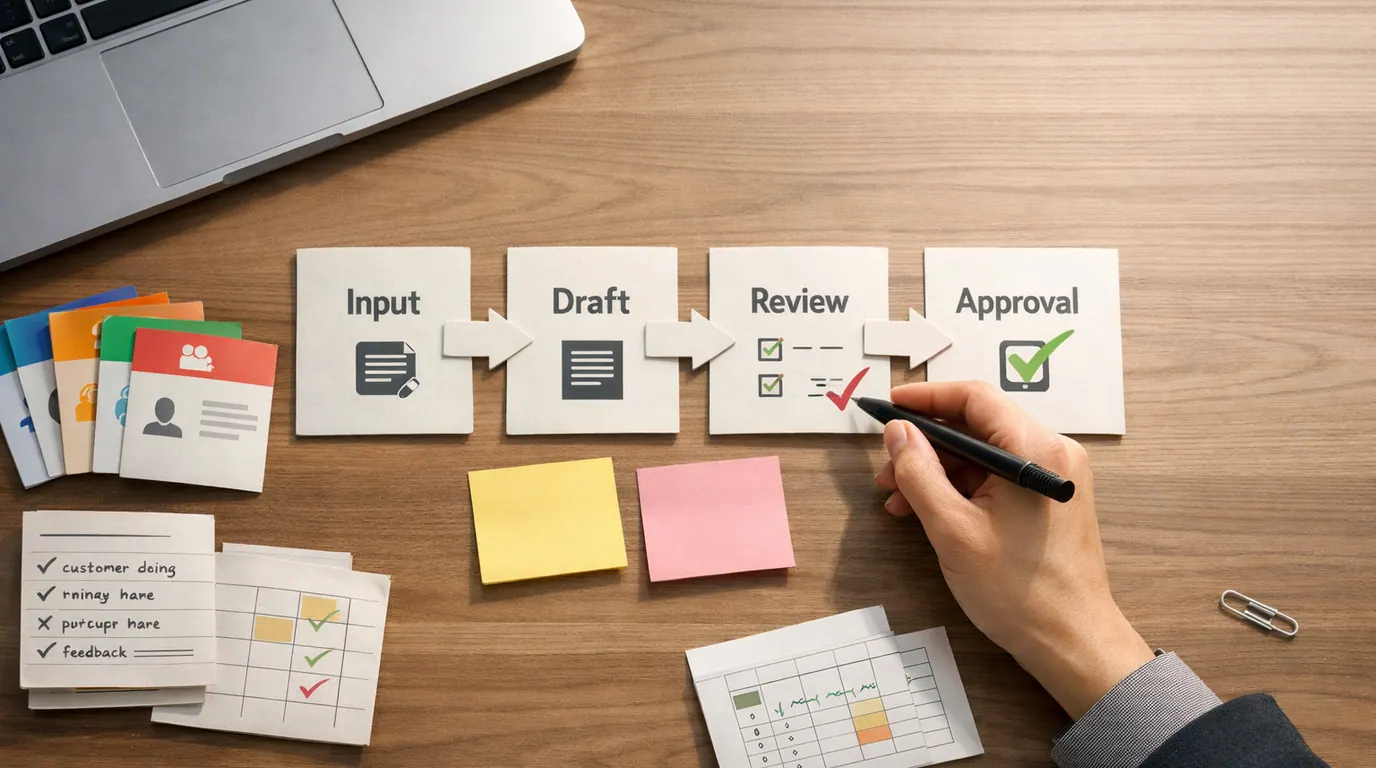
If you searched for “chatgpt prompts for business”, the useful answer is not one giant list of clever lines. The useful answer is a small prompt system your team can adapt to real work: strategy, sales, customer support, hiring, operations, finance, meetings, and daily decision support.
ChatGPT prompts for business work when they include the context a competent teammate would need. That means the business goal, audience, source material, constraints, output format, and review rule. Without those pieces, ChatGPT can still produce a confident answer, but it may be too generic, too polished, or simply wrong.
Use this ChatGPT prompts for business guide as a reusable library. Pick the business job first, paste the relevant template, add real inputs, then review the output before it reaches a customer, employee, vendor, investor, or public channel.
Choose the workflow stage before asking for strategy, copy, analysis, or a final decision.
Use customer notes, offer details, policies, spreadsheet ranges, constraints, and examples of acceptable output.
Verify numbers, private data, claims, commitments, legal exposure, and whether the recommendation fits the business.
Start With the Business Job, Not the Prompt
The best ChatGPT prompts for business are not universal top-ten prompts. They are short briefs matched to a specific job: deciding, drafting, summarizing, comparing, documenting, or preparing a human review.
Start with this ChatGPT prompts for business template before you choose a more specific example:
Act as [business role or perspective].

Business context: [what we sell, who we serve, current goal]
Task: [the exact output you want]
Source material: [notes, data, transcript, policy, brief, customer language, draft, or assumptions]
Constraints: [budget, time, tone, compliance rules, format, channels, tools, approvals]
Output format: [table, checklist, email, brief, plan, SOP, scorecard, JSON, or bullets]
Review rule: [what a human must verify before using this]

Before answering, ask up to [number] clarifying questions if the input is not enough.
If you make assumptions, label them clearly.This structure also keeps prompting habits consistent across teams. If you want the broader prompting mechanics, start with our guide to writing better AI prompts. If you want marketing-specific templates, the ChatGPT prompts for marketing library goes deeper on campaigns, email, social, and content.
Prompt Library: ChatGPT Prompts for Business by Function
Use the table as a map. Pick the function that matches the bottleneck, then use the copyable ChatGPT prompts for business examples in the next section.
| Business function | Use when | Prompt result | Human review |
|---|---|---|---|
| Strategy and planning | You need to clarify priorities, compare options, or pressure-test a decision | SWOT, option matrix, assumptions, risks, first actions | Check market evidence, customer facts, financial assumptions, and whether leaders agree on the criteria. |
| Sales and lead follow-up | You need a concise outreach, discovery plan, proposal outline, or objection response | Segmented message, questions, deal risks, next-step email | Verify account facts, consent, claims, tone, pricing, and promises before sending. |
| Customer support | You need to summarize tickets, triage urgency, or draft a reply | Issue summary, likely cause, response draft, escalation note | Confirm account details, policy, customer emotion, refund rules, and support commitments. |
| Operations and SOPs | You need to document a recurring process or improve a messy handoff | Process map, checklist, owner list, failure points, SOP draft | Confirm real owners, systems, timing, exception paths, and where automation is allowed. |
| HR and training | You need onboarding plans, interview rubrics, role expectations, or internal guidance | Training outline, scorecard, role briefing, onboarding checklist | Check fairness, privacy, legal exposure, employee context, and company policy. |
| Finance and reporting | You need to categorize expenses, explain trends, summarize a budget, or prepare questions | Categorized table, variance notes, follow-up questions, risk flags | Verify every number in source systems and avoid sharing sensitive data in unapproved tools. |
| Leadership and meetings | You need decisions, action items, risks, and follow-up from messy notes | Executive summary, owner list, unresolved questions, decision log | Check speaker attribution, commitments, deadlines, and what should remain confidential. |
| Content and communications | You need a business update, memo, announcement, newsletter, or briefing | Draft copy, tone variants, audience risks, approval checklist | Confirm accuracy, brand voice, sensitive details, and whether the message should be sent at all. |
These are ChatGPT prompts for business use cases, not replacements for business judgment. A useful prompt makes the next human step easier to inspect.
Copyable ChatGPT Prompts for Business Examples
Replace the bracketed fields with real context. Keep the review instruction even when the task feels low risk, because that is what stops a polished draft from becoming an unchecked decision.
1. Business strategy prompt
When people look for ChatGPT prompts for business strategy, they usually need help organizing a decision, not a motivational plan. Use this for a product bet, pricing change, hiring plan, expansion idea, or founder decision.
Act as a practical business strategist.

Business: [what we sell, who buys it, current stage]
Decision to make: [the choice, tradeoff, or opportunity]
Current evidence: [customer notes, revenue signal, costs, constraints, team capacity, known risks]
Options we are considering: [option A, option B, option C]
Success criteria: [profit, retention, speed, quality, risk reduction, learning, strategic fit]

Return:
1. A one-paragraph summary of the decision
2. A comparison table with upside, downside, cost, risk, and evidence needed
3. The assumptions most likely to be wrong
4. Five questions we should answer before committing
5. A recommended next action that is reversible within [time period]

Do not invent market data, competitor facts, or financial numbers. Label assumptions clearly.
Everyday example: a local bookkeeping firm considering a new monthly advisory package could paste client questions, average engagement size, delivery constraints, and a rough pricing range. ChatGPT can organize the decision, but the owner still needs to validate demand with real clients and check the numbers.
2. Sales follow-up prompt
Use this after a discovery call, demo request, trade-show conversation, inbound form, or stalled deal.
Act as a business development representative.

Prospect: [company, role, industry, size, source]
Conversation notes: [paste notes or transcript excerpt]
Their likely pain: [what they said or implied]
Our relevant offer: [product or service details]
Constraints: [no discount promises, no unsupported claims, no legal or technical guarantees]
Goal: draft a follow-up that earns a specific next step.

Return:
- A short internal deal summary
- Three buying signals
- Three risks or missing facts
- A follow-up email under [word count]
- Five discovery questions for the next call

Keep the tone [direct, warm, executive, technical, consultative].
Flag any claim that needs proof before sending.
Human review: sales messages are easy to over-polish. Check names, dates, pain points, pricing, product capability, and whether the next step is realistic.
3. Customer support triage prompt
Use this for a support inbox, help desk queue, customer success handoff, or product feedback pile.
Act as a customer support triage specialist.

Customer message:
[paste message]

Known account context:
[plan, region, product, renewal status, recent incidents, SLA rules, or leave blank]

Task:
Summarize the issue, classify urgency, identify missing information, and draft a response for human review.

Return a table with:
- Issue summary
- Customer emotion
- Likely category
- Urgency level and reason
- Missing information
- Suggested owner
- Draft response
- Risks before sending

Do not promise refunds, timelines, fixes, or policy exceptions unless the source material explicitly supports them.
Everyday example: a SaaS company can use this to separate billing confusion, login failures, and feature requests before assigning work. The support lead still checks account records and customer commitments before anything is sent.
4. Operations SOP prompt
Use this when a process lives in someone’s head: invoice review, new client onboarding, content publishing, quality checks, inventory updates, or monthly reporting.
Act as an operations manager.

Process to document: [process name]
Current notes: [paste messy steps, screenshots described in words, owner notes, exceptions]
Systems involved: [tools, folders, forms, spreadsheets, CRM, ticketing, email, chat]
Goal: create a simple SOP a new teammate can follow.
Constraints: [approval rules, timing, quality checks, permissions, compliance, handoff points]

Return:
1. Process purpose
2. Inputs needed before starting
3. Step-by-step SOP
4. Owner for each step
5. Common exceptions and what to do
6. Quality checklist
7. Questions that remain unclear

Do not hide uncertainty. Mark any step that needs confirmation from the real process owner.
This is where a repeatable ChatGPT prompts for business workflow begins: document the process, run it with real examples, then decide which pieces are safe to automate. For automation rollout patterns, see AI workflow automation.
5. HR onboarding prompt
Use this for role-specific onboarding, internal training, first-week plans, or manager checklists.
Act as an HR operations partner.

Role: [role title]
New hire context: [experience level, location, team, start date]
Business goals for the role: [what they need to support]
Tools and policies to learn: [systems, documents, training modules, compliance needs]
Manager expectations: [first 30, 60, or 90 days]

Create an onboarding plan with:
- Pre-start tasks
- First-day agenda
- First-week learning plan
- First-30-day milestones
- People to meet
- Role-specific practice tasks
- Manager check-in questions
- Risks if onboarding is rushed

Keep it practical and avoid legal advice. Flag anything HR or legal should review.
Human review: HR prompts need extra care. Do not use ChatGPT to make hiring, firing, compensation, accommodation, or disciplinary decisions without qualified review and company policy.
6. Finance and expense review prompt
Use this only with approved, anonymized, or non-sensitive data. For confidential finance work, follow your company’s AI policy and vendor rules.
Act as a finance operations analyst.

Data boundary: Use only the pasted, anonymized data below.
Business context: [department, quarter, goal, budget owner]
Expense data: [paste categories, rounded amounts, vendors anonymized if needed, notes]
Question: [what we need to understand]

Return:
- Expense categories
- Unusual increases or decreases
- Questions for the budget owner
- Possible cuts, automations, or investments to investigate
- Risks in the analysis
- What data is missing

Do not invent totals, tax guidance, accounting treatment, or legal conclusions. Show any calculations you perform.
Everyday example: a small agency can paste rounded monthly software spend by category and ask for renewal questions before a budget meeting. The finance owner still checks the ledger and contracts.
7. Meeting decision prompt
Use this after leadership meetings, client calls, project check-ins, or messy brainstorms.
Act as a chief of staff preparing a decision brief.

Meeting notes:
[paste notes or transcript excerpt]

Audience: [founder, department head, project team, client, board, vendor]
Purpose: [follow-up, decision, alignment, risk review, project plan]

Return:
1. Decisions made
2. Open questions
3. Action items with owner and deadline
4. Risks or disagreements
5. Facts that need verification
6. A concise follow-up message

If the notes do not clearly identify an owner or deadline, mark it as missing instead of guessing.
Human review: meeting summaries can quietly change accountability. Verify owners, dates, promises, and anything sensitive before sharing.
A Repeatable ChatGPT Prompts for Business Workflow
A reusable ChatGPT prompts for business workflow is more than saving a prompt in a document. It is a small operating loop:
- Name the job: Decide whether ChatGPT is drafting, summarizing, comparing, classifying, planning, or critiquing.
- Collect the input: Use the source material a human would use: notes, spreadsheet ranges, policies, customer language, examples, or a brief.
- Set the boundary: State what the model must not do, such as invent numbers, reveal private data, promise refunds, or give legal advice.
- Ask for a reviewable output: Tables, checklists, decision briefs, and annotated drafts are easier to inspect than a long essay.
- Run the first draft: Look for where the answer guessed, overclaimed, ignored context, or used generic language.
- Revise the prompt: Add the missing context, change the output format, or split the job into a smaller prompt.
- Save the working version: Store the template with owner, use case, allowed inputs, review checklist, and examples of good output.
For team use, give every prompt template an owner. Someone should know when to update it, what data is allowed, which outputs need approval, and when the prompt should be retired.
Compare Prompts Before You Reuse Them
Most bad business prompts are not bad because they are short. They are bad because they leave the model to guess the business context, source of truth, and approval standard.
| Weak prompt | Better business prompt | Why it works |
|---|---|---|
| Write a business strategy. | Compare these three growth options for a 12-person B2B services firm using the pasted customer notes, current capacity limits, and a 90-day time horizon. Return assumptions, risks, evidence needed, and the safest next experiment. | It turns strategy into a bounded decision with evidence, constraints, and a reversible next step. |
| Write a sales email. | Draft a concise follow-up email after this discovery call. Mention the prospect's inventory reporting problem, ask for two missing details, avoid pricing promises, and suggest a 20-minute next call. | It uses real notes, names the next action, and prevents unsupported claims. |
| Make an SOP. | Turn these messy onboarding notes into a step-by-step SOP with inputs, owners, tools, timing, exceptions, and a final quality checklist. Mark any missing step instead of guessing. | It creates a reviewable process document and preserves uncertainty. |
| Analyze expenses. | Using only this anonymized expense table, group spend by category, flag unusual changes, show calculations, and list questions for the budget owner. Do not give tax or accounting advice. | It sets a data boundary, asks for transparent calculations, and avoids regulated conclusions. |
| Summarize the meeting. | Summarize these meeting notes for the project owner. Separate decisions, open questions, action items, risks, and facts to verify. Do not assign owners or deadlines unless the notes state them. | It prevents the summary from inventing accountability. |
| Create social posts for my business. | Create five LinkedIn post angles for a cybersecurity consultancy targeting operations leaders. Use the pasted customer questions, avoid fear-based claims, and include one practical takeaway in each post. | It adds audience, channel, proof, tone boundary, and useful output criteria. |
Notice the pattern: a better prompt gives ChatGPT a role, the business situation, the allowed source material, the output format, and the human review point.
The ChatGPT Prompts for Business Checklist Before You Trust Output
Use this ChatGPT prompts for business checklist before you send, publish, automate, or make a decision from AI output:
- Task: Did the prompt ask for one clear job, or did it bundle strategy, research, copy, and decisions into one vague request?
- Source material: Did you provide the notes, policy, transcript, spreadsheet, customer language, or examples the answer should rely on?
- Data boundary: Did you remove or protect confidential financials, customer records, employee data, contracts, passwords, and personally identifiable information?
- Format: Did you ask for the shape that makes review easy: table, checklist, scorecard, brief, SOP, or annotated draft?
- Assumptions: Did the model label guesses, missing evidence, and information it needs from you?
- Claims: Did you verify names, numbers, dates, prices, product capabilities, policy details, legal-sensitive statements, and customer promises?
- Owner: Is there a real person accountable for approving the output and improving the prompt if it fails?
- Reuse: If the prompt worked, did you save the template with examples and review rules instead of leaving it buried in chat history?
Human Review, Privacy, and Failure Modes
ChatGPT can produce fluent business writing even when it lacks the facts that matter. That is why strong prompts include the review rule from the beginning.
Works Well When
- Use ChatGPT prompts for drafts, summaries, outlines, first-pass analysis, SOPs, checklists, meeting follow-ups, and option comparison.
- Paste source material when the task depends on facts, but only when the data is approved for that tool.
- Ask for assumptions, missing information, and risks whenever the output supports a decision.
- Save prompts that reliably improve repeated business workflows.
Watch Out For
- Do not paste confidential customer, employee, financial, legal, contract, security, or product data into unapproved AI tools.
- Do not trust generated market data, citations, competitor claims, prices, tax treatment, legal advice, medical advice, or financial recommendations without verification.
- Do not let ChatGPT send customer messages, approve spend, change access, reject candidates, or make irreversible decisions without a human owner.
- Do not keep using a prompt template after the policy, offer, product, market, or workflow has changed.
Common failure modes are easy to miss:
- Generic advice: the prompt did not include customer language, source material, constraints, or examples.
- Invented facts: the prompt asked for research or numbers without giving a trusted source or requiring verification.
- Overconfident strategy: the output sounds decisive even though the evidence is thin.
- Privacy leakage: the prompt includes private data that should have been anonymized, removed, or handled in an approved environment.
- Hidden accountability: the AI summary assigns owners, deadlines, or commitments that no person actually approved.
- Template drift: a saved prompt keeps producing old assumptions after the business changes.
For broader governance habits, the practical questions in AI privacy concerns are worth applying before a business prompt touches sensitive records. If the prompt becomes part of a team process, pair it with the ownership model in AI productivity tools for teams.
The Bottom Line
ChatGPT prompts for business are most useful when they turn messy work into something a person can review: a decision brief, sales follow-up, support summary, SOP, onboarding plan, budget question list, or meeting action log.
Start with one repeated business job this week. Use the base template, add real source material, ask for assumptions and risks, and keep the human review step explicit. The prompt is successful when it reduces guessing, makes the next action clearer, and leaves an accountable person in control.
Frequently asked questions
What should a business include in a ChatGPT prompt?
Include the business context, target audience, task, source material, constraints, desired format, and review rule. A prompt such as help my business is too vague; a short brief that names the department, input data, decision, and approval standard gives ChatGPT enough context to produce useful work.
What are the best ChatGPT prompts for business?
The best prompts are tied to a real business job: clarify strategy, summarize customer notes, draft sales follow-ups, build SOPs, plan onboarding, review expenses, or prepare meeting decisions. They ask for assumptions, risks, and next actions instead of only asking for polished copy.
Can ChatGPT create a business strategy?
ChatGPT can organize strategy inputs, compare options, draft a SWOT analysis, pressure-test assumptions, and turn notes into a planning brief. It should not be treated as the source of market truth. Validate customer evidence, numbers, competitor claims, legal issues, and budget assumptions before acting.
Is it safe to paste business data into ChatGPT?
Do not paste confidential financials, customer records, employee data, contracts, passwords, unreleased product details, or personally identifiable information into an AI tool unless your organization has approved that use. Anonymize data, use ranges where possible, and follow your vendor and privacy rules.
How do I make ChatGPT business outputs less generic?
Provide real inputs: customer language, product facts, constraints, examples of good work, and examples to avoid. Then ask ChatGPT to mark vague claims, list missing evidence, and rewrite around specific details. Generic output usually means the prompt did not include enough business context.
Should businesses save prompt templates?
Yes, save templates for repeated jobs such as sales emails, meeting summaries, support triage, SOP drafts, and finance reviews. Treat each template as a controlled workflow with fields to fill in, a human owner, data rules, and a final review checklist before anything is sent or used.





