
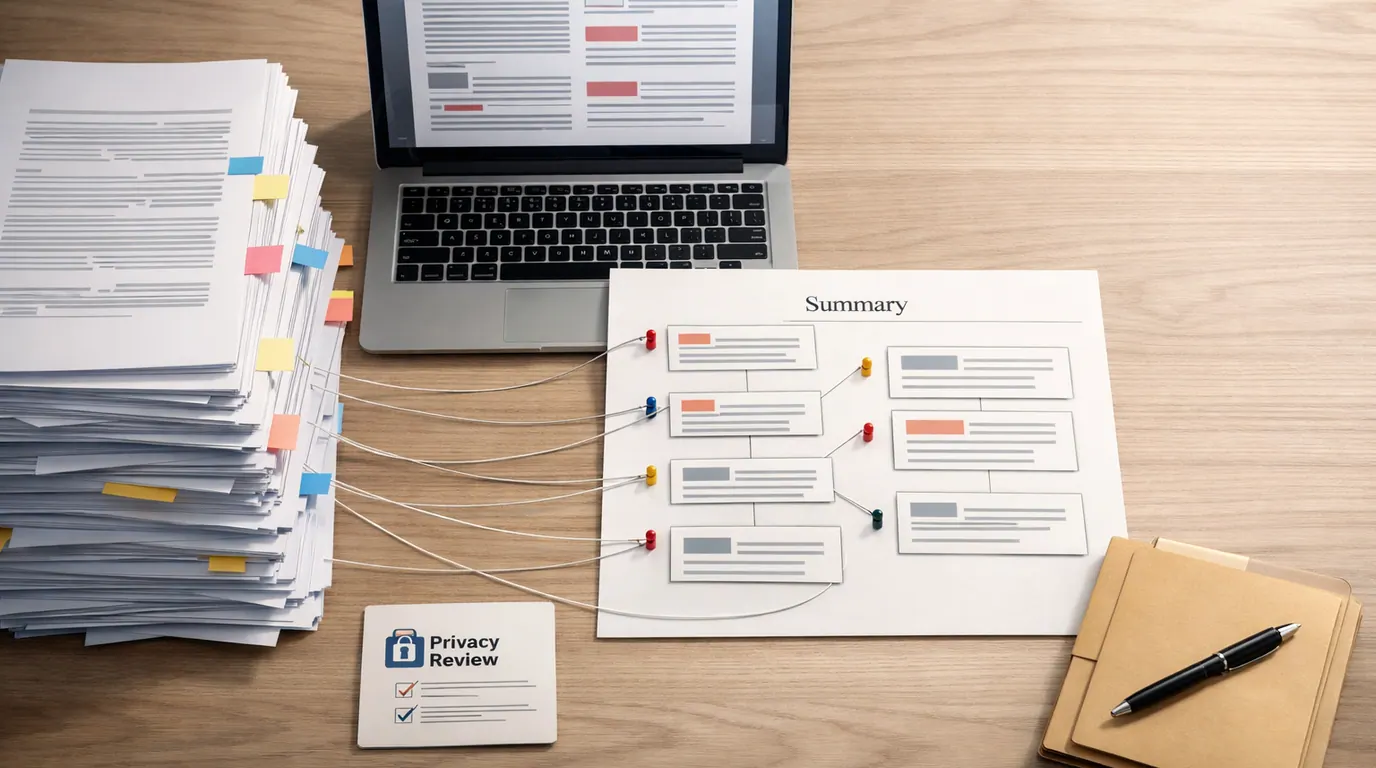
If you searched for “ai pdf summarizer,” the useful answer is not simply “upload the file and trust the summary.” A good summary should save reading time while keeping you close enough to the source to check what matters.
The question behind this guide is simple: how to summarize pdfs with AI without losing page context, privacy, tables, footnotes, or the judgment you still need to make. The answer is a workflow: choose the right tool for the document, ask for a structured output, use follow-up questions, and verify the parts that carry risk.
Treat this as an AI pdf summarizer guide for everyday work: research papers, class readings, business reports, contracts, invoices, meeting packets, product manuals, and long PDFs you need to understand quickly.
Ask for the summary format you need: brief, outline, risks, action items, study notes, or page-linked questions.
The best summaries make it easy to jump back to the original page, paragraph, table, or section.
Verify facts, quotes, numbers, clauses, OCR text, and private-data handling before relying on the output.
What an AI PDF Summarizer Does
An AI PDF summarizer reads a PDF, extracts or interprets its text, and generates a shorter version of the document. Depending on the tool, it may also answer questions, create a chapter outline, pull action items, highlight contract terms, generate flashcards, produce a mind map, or turn the summary into slides.
That makes it useful for a first pass through dense documents. It is especially helpful when you know the document matters but do not yet know which pages deserve close reading.
The limitation is that summarization compresses judgment. AI can overlook a caveat, flatten a disagreement, misread a scanned page, skip a table, or present a confident answer without enough source context. A summary should tell you where to look, not replace the original PDF.
Quick Picks: Best AI PDF Summarizer by Job
If you are trying to find the best AI pdf summarizer, start with the document job rather than the loudest feature list. A student summarizing a textbook chapter, a manager skimming a board packet, and a researcher checking a methodology section need different review paths.
| Pick | Best for | Why it fits | Limit | Pricing/free-plan note |
|---|---|---|---|---|
| Adobe Acrobat AI Assistant | Business, legal, academic, and source-checking workflows | The research packet and Adobe page emphasize PDF-native summaries, adjustable prompts, and numbered attributions that can highlight related source content. | Requires sign-in for deeper AI Assistant prompts, and legal or financial wording still needs expert review. | Adobe describes limited free AI Assistant access and subscription options. Check current Acrobat pricing and request limits. |
| ChatPDF | Fast question-and-answer summaries with references | It is built around chatting with a PDF and includes page references so readers can jump back to the source. | A reference can still point to a passage the model summarized poorly, so verify important answers. | The official page advertises limited free daily uploads without registration. Check current upload limits before relying on it. |
| Smallpdf | Simple summaries, multiple files, and scanned PDFs | Its page highlights fast PDF summaries, other file types, multiple-document upload, and scanned PDF support. | Multi-document summaries can blur which source supported which claim unless you ask for source-by-source output. | Smallpdf promotes no-registration use on the page; check current file, plan, and export limits. |
| Lumin | Short scanned PDFs and OCR-heavy documents | The research packet and official page mention built-in OCR and explicit file limits, which makes it easier to decide whether a document fits. | OCR quality can fail on handwriting, poor scans, and complex layouts. Inspect the extracted text. | The page lists PDF size/page/character limits and premium expansion. Check current limits before uploading. |
| SlideSpeak | PDFs that need follow-up questions or presentation handoff | Its positioning is PDF-native summarization with chat, key takeaways, page awareness, and slide export workflows. | Do not assume slide-ready output is decision-ready; review the source and edit the presentation narrative. | The page advertises a free start. Check current credits, export limits, and business terms. |
| Knowt | Students who want summaries, flashcards, and practice questions | Knowt focuses on turning PDFs into summaries, flashcards, and tests, which fits active recall better than passive reading. | Generated flashcards can overemphasize easy facts and miss instructor priorities. Compare with course materials. | Check current student access, free limits, and school policy before uploading class files. |
| NoteGPT | Long PDFs, extracted text, mind maps, and multilingual study workflows | The research packet highlights summaries, page-by-page text extraction, mind maps, translation, and Q&A with PDFs. | Mind maps and essential questions are study aids, not evidence. Verify claims against the PDF. | The official page promotes free online use and file-size information, but limits can change. Check current plan details. |
| Manus | Structured summaries by section, methodology, findings, or recommendations | Its page emphasizes choosing formats like bullet points, paragraphs, executive summaries, and specific sections. | Best used when you can define the output clearly; vague prompts produce vague summaries. | The page mentions free daily credits for new users and subscription plans for regular use. Check current credit costs. |
Selection Method
This is not a lab benchmark, a live pricing audit, or a claim that every product was tested hands-on with the same PDF. The shortlist is based on the supplied research brief, official product pages for the tools named above, and the jobs people usually mean when they search for an AI pdf summarizer: understand a long PDF, ask follow-up questions, verify source pages, handle scanned documents, create study material, and turn dense text into a reusable brief.
The evaluation criteria were practical: source visibility, OCR support, summary formats, follow-up Q&A, file limits, study outputs, export usefulness, privacy signals, and how much human review remains. A tool that gives a crisp summary but hides the source trail is weaker for research, contracts, compliance, and school work than a messier tool that lets you inspect the original passage.
For adjacent workflows, see our guide to using AI for research, our practical guide to writing better AI prompts, and our review of AI privacy concerns before uploading sensitive files.
The AI PDF Summarizer Workflow
The most reliable AI pdf summarizer workflow is a loop, not a single prompt. First prepare the document, then ask for a structured summary, then question weak points, then verify important claims against the source.
- Check whether the PDF can be uploaded. If it contains private client data, student records, HR notes, medical details, legal strategy, unreleased research, or proprietary work, use an approved tool or redact first.
- Fix readability before summarizing. Rotate pages, remove duplicate scans, run OCR if needed, and split huge files into logical sections when the tool has page, size, or credit limits.
- Choose the summary job. Ask for an executive brief, section outline, study guide, risk list, action items, methodology summary, contract-term table, or questions to investigate.
- Require page references when possible. Tell the tool to cite page numbers, section names, or source snippets for every important claim.
- Ask follow-up questions. Probe assumptions, definitions, tables, figures, contradictions, missing methods, and terms that look important but were summarized too quickly.
- Verify before using the output. Open the original PDF and check facts, numbers, names, dates, quotes, legal clauses, tables, and recommendations.
Here is a reusable prompt:
Summarize this PDF for [reader/job]. Start with a 5-bullet executive summary, then give a section-by-section outline with page references. Separate facts from interpretation. List open questions, weak evidence, numbers to verify, and any terms I should read in the original before making a decision.
PDF summarizing prompt
For better results, adapt the prompt with the task, context, criteria, format, and review pattern from our guide to writing better AI prompts.
AI PDF Summarizer Examples
Good AI pdf summarizer examples are specific about the document and the decision. “Summarize this” is usually too vague. “Find the payment terms, renewal dates, penalties, and pages I must read before signing” is much better.
| PDF type | Better prompt | Useful output | Human review point |
|---|---|---|---|
| Research paper | Summarize the research question, method, sample, findings, limitations, and claims I should verify. Include page references. | Method-and-findings brief with caveats. | Read the methods, tables, limitations, and citations before relying on the conclusion. |
| Textbook chapter | Turn this chapter into study notes, key terms, likely quiz questions, and common misunderstandings. Ask me questions one at a time. | Study guide and active-recall quiz. | Compare the summary with the syllabus, lecture emphasis, and assigned learning objectives. |
| Business report | Create a one-page executive summary, then list risks, action items, metrics, and decisions required by leadership. | Manager-ready brief with next actions. | Verify numbers, time periods, assumptions, and whether the report's recommendation is supported. |
| Contract or policy PDF | Extract parties, dates, obligations, renewal language, termination terms, fees, exceptions, and ambiguous clauses with page references. | Review table for legal or operations handoff. | Do not treat this as legal advice. Have a qualified person review exact wording before signing or acting. |
| Scanned invoice packet | After OCR, summarize vendor names, amounts, due dates, unusual charges, missing pages, and items needing manual review. | Triage list for accounting review. | Check OCR text, totals, tax, currency, vendor names, and any handwritten notes. |
| Product manual | Summarize setup steps, safety warnings, troubleshooting steps, maintenance intervals, and parts to inspect first. | Quick operating checklist. | Read original safety warnings and manufacturer instructions before using equipment. |
Build an AI PDF Summarizer Strategy
An AI pdf summarizer strategy should answer four questions before you pick a tool:
- What is the document risk? A public white paper can go into more tools than a signed contract, confidential HR file, medical record, or unpublished research draft.
- What output do you need? A short overview, study guide, Q&A session, page-linked evidence table, slide deck, flashcards, mind map, or executive brief each points to a different product fit.
- How much source traceability matters? For academic, legal, business, and compliance work, prioritize page references, clickable citations, and a visible source trail.
- What will a human check? Decide in advance who verifies facts, sensitive data, citations, legal wording, calculations, and final decisions.
This is where “AI pdf” tools differ from a generic chatbot with file upload. A generic assistant can summarize a document well when the input is clean and the file is not too long. A PDF-native tool may do better when you need page navigation, OCR, multiple documents, section-specific questions, or outputs such as flashcards and slides.
Works Well When
- Use a dedicated PDF tool when page references, OCR, source navigation, or document-specific Q&A matters.
- Use a general assistant when the PDF is clean, low-risk, and you mainly need explanation, rewriting, or a reusable prompt workflow.
- Use a study-focused tool when the real goal is recall: flashcards, quizzes, practice tests, and spaced review.
- Use a business PDF tool when the output needs to become a brief, presentation, action list, or reviewed handoff.
Watch Out For
- Do not upload sensitive PDFs into unapproved tools just because the summary feature is convenient.
- Do not trust summaries of scanned pages until you inspect the OCR text.
- Do not rely on a summary that cannot show where the claim came from.
- Do not treat contract, medical, financial, or policy summaries as professional advice.
AI PDF Summarizer Use Cases
The strongest AI pdf summarizer use cases are reviewable. The tool prepares a useful artifact, and a person checks the original before the artifact is used.
For students, that artifact might be a chapter outline, flashcards, and practice questions. Pair summaries with active recall so the tool improves learning instead of replacing it; our guide to using AI for studying covers that boundary in more detail.
For researchers, the artifact might be a source note that separates research question, method, evidence, limitations, and follow-up questions. Use it to prioritize reading, not to replace reading.
For business teams, the artifact might be an executive summary, decision memo, meeting packet brief, vendor risk list, or action-item table. The review owner should still confirm numbers, deadlines, obligations, and assumptions.
For legal, HR, compliance, medical, and financial material, use AI only inside approved workflows. Summaries can help triage documents, but the final interpretation belongs to qualified reviewers and the original source.
AI PDF Summarizer Checklist
Use this AI pdf summarizer checklist before uploading a PDF or sharing a summary:
Do
- Check whether the document is public, internal, confidential, regulated, or client-owned.
- Ask for a specific output format and audience.
- Require page references or section names for important claims.
- Ask the tool to list uncertainties, missing context, and terms to verify.
- Compare the summary against the source before citing, sending, signing, or submitting.
Do not
- Paste private PDFs into a tool without checking data-use terms and approval.
- Let a summary collapse opposing evidence into one neat conclusion.
- Ignore tables, figures, footnotes, appendices, or scanned text errors.
- Assume a free plan has the privacy, export, or retention controls you need.
- Use AI summaries as legal, medical, financial, academic, or compliance authority.
If a summary will influence a public claim, grade, payment, hiring decision, contract, diagnosis, investment, or customer commitment, slow down and read the relevant pages yourself.
The Bottom Line
An ai pdf summarizer is most useful when it helps you find the right pages faster. Use it for orientation, outlines, study aids, questions, action items, and first-pass briefs. Then verify the source trail.
Choose the tool by job: source-linked Q&A, scanned PDF handling, student review, long-document structure, presentation handoff, or simple summary. Ask for page references. Keep sensitive PDFs out of unapproved systems. And before the summary turns into a decision, citation, email, contract note, or study plan, compare it with the original document.
Frequently asked questions
What is an AI PDF summarizer?
An AI PDF summarizer is a tool that reads a PDF and turns it into a shorter summary, outline, list of key points, study guide, or answerable document chat. The useful versions keep the original file close by with page references or source links so you can check whether the summary matches the document.
What is the best way to summarize PDFs with AI?
Start by deciding the output you need: executive summary, study notes, section-by-section outline, risks, action items, or questions. Upload the PDF only if privacy rules allow it, ask for page-linked evidence, then compare important claims against the original pages before using the summary.
Can AI summarize scanned PDFs?
Yes, some PDF summarizers can handle scanned or image-based PDFs by using OCR first, but quality depends on the scan. Crooked pages, handwriting, low contrast, tables, and tiny footnotes can produce errors. For scanned documents, inspect the extracted text and verify every important number, name, clause, or quote.
Are free AI PDF summarizers good enough?
Free tools can be enough for occasional summaries, short readings, class chapters, or quick document triage. They often have file, page, daily upload, credit, export, sign-in, or privacy limits. Treat the free plan as a workflow test, then check current vendor pricing and terms before relying on it for weekly work.
Is it safe to upload confidential PDFs to an AI summarizer?
Only upload confidential PDFs to tools your organization, school, or client has approved. Check retention, training use, deletion, encryption, access controls, and whether files are processed by third parties. For contracts, HR records, medical files, client data, or unreleased work, use approved systems or redact first.
Can an AI PDF summary replace reading the document?
No. A summary is a navigation layer, not the source of record. It can show what to read first, surface themes, and create questions, but it can miss caveats, figures, tables, definitions, minority findings, or legal wording. Read the original sections before citing, signing, submitting, or making decisions.





