
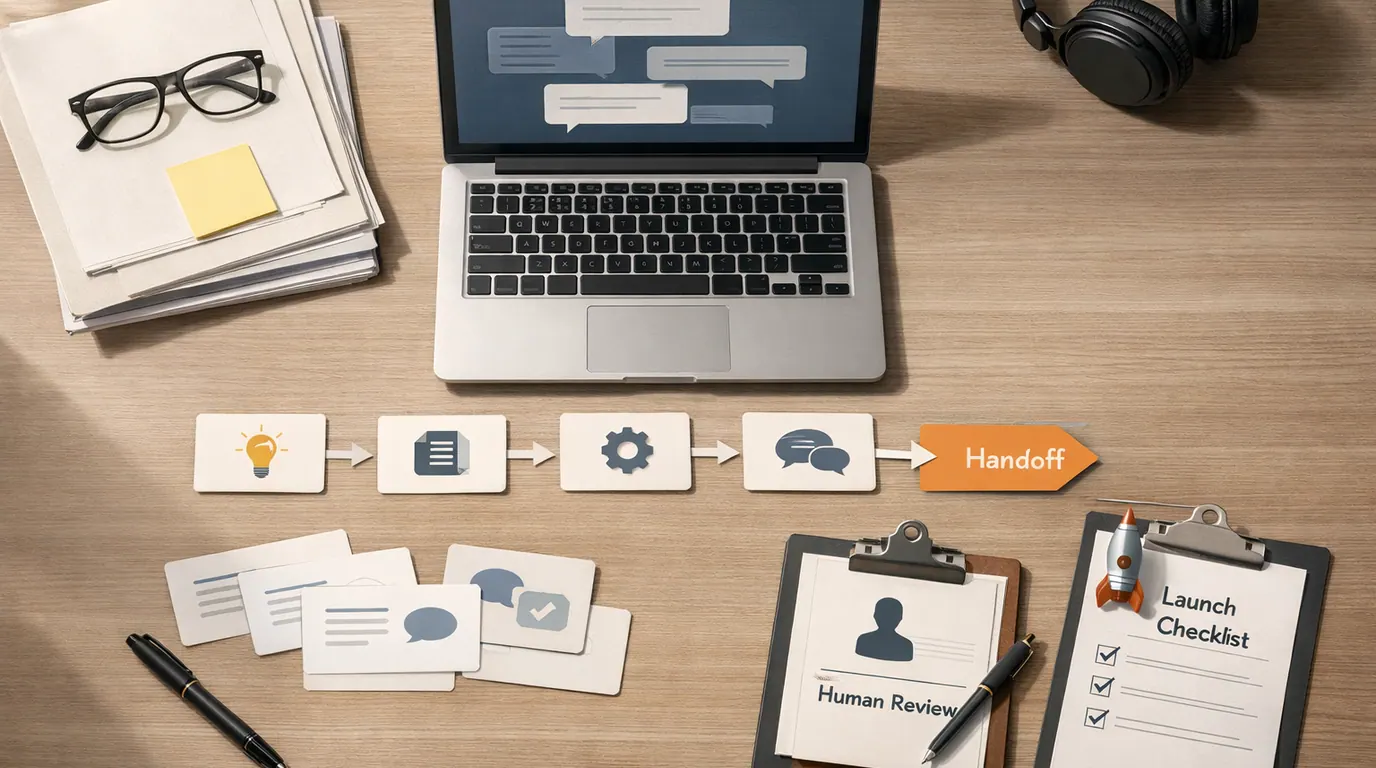
If you searched for “how to build an ai chatbot”, the useful answer is not “connect an AI model to a chat box.” The useful answer is a build plan: choose the job, give the bot trustworthy knowledge, define what it may do, test real conversations, and create a path to a human when the answer matters.
People ask “How to build an AI chatbot” when they are usually trying to solve one of a few everyday problems: answer website questions, qualify leads, support customers, help employees find internal policies, collect intake details, or automate a repeated chat workflow. Those are different jobs, and they should not all become the same bot.
A reliable chatbot is less like a talking website and more like a small service desk with a narrow job, approved knowledge, and a visible escape hatch.
Pick one workflow: FAQ support, lead intake, internal help, appointment triage, product guidance, or ticket routing.
Use documents, policies, examples, and actions that a human teammate would be allowed to rely on.
Escalate account issues, sensitive topics, unsupported answers, angry users, and any decision with real consequences.
Start With the Job, Not the Bot
An AI chatbot is a conversational interface that uses a language model, instructions, conversation memory, and often a knowledge base to respond to users in natural language. That does not mean it should answer anything. The narrower the job, the easier it is to test, trust, and improve.
Before you choose a platform, write a one-sentence scope:
This chatbot helps [audience] do [job] using [approved knowledge/actions], and it hands off to [human/team/system] when [risk or limit] appears.Examples:
- Support FAQ: This chatbot helps trial users answer setup questions using help-center articles, and it creates a support ticket when the answer depends on account data.
- Lead qualification: This chatbot helps website visitors explain their company, budget, timeline, and problem, then routes qualified leads to sales for review.
- Internal HR assistant: This chatbot helps employees find policy answers using approved handbook pages, and it sends benefit, legal, or personal cases to HR.
- Product onboarding: This chatbot helps new users choose the next setup step using product docs, and it stops before changing settings or billing details.
This is the core of a useful how to build an AI chatbot strategy: decide what the bot is responsible for, what knowledge it can use, what actions it may take, and where a human remains accountable.
Choose Your Build Path
A search for “best how to build an AI chatbot” is usually asking which path fits the project: no-code builder, automation workflow, custom app, or contact-center platform. There is no universal winner. The best path is the one that matches the channel, data sensitivity, required actions, and review burden.
| Build path | Best for | What you build | Watch for |
|---|---|---|---|
| No-code chatbot builder | Website FAQs, lead capture, simple support, product onboarding, small internal assistants | A hosted chat widget connected to pages, documents, canned answers, and basic handoff rules. | Easy launch does not remove testing. Check current pricing, export options, branding controls, data retention, and unsupported-question handling. |
| Workflow automation | Slack, Teams, WhatsApp, Telegram, forms, ticketing, and CRM handoffs | A trigger-based flow that sends messages to an AI step, checks rules, then updates another system. | Broken automations can create duplicate tickets, bad CRM records, or private data exposure. Log failures and route exceptions. |
| Custom app with model API | Product-specific assistants, authenticated portals, custom analytics, complex actions, or stricter security | Your own chat UI, server logic, model calls, retrieval, permissions, logs, and action tools. | You own maintenance, monitoring, security, rate limits, data storage, and model behavior changes. |
| Cloud conversation platform | Contact centers, regulated support, voice/chat handoff, high-volume operations, multi-channel service | A more managed virtual agent with routing, transcripts, reporting, and live-agent escalation. | Implementation work can be heavier. Confirm channel support, compliance, admin controls, and human review workflows before rollout. |
If you are building for learning, a no-code prototype is usually the fastest way to discover the real questions. If you are building for a customer account area, regulated workflow, or product action, custom code or an enterprise platform may be safer because permissions, logs, and handoff matter more.
The wrong path is the one that hides responsibility. A bot that can answer a billing question but cannot see billing data will frustrate users. A bot that can see billing data but has no security review can create a bigger problem.
How to Build an AI Chatbot: The Workflow
Use this how to build an AI chatbot workflow before you touch a model setting. It keeps the project grounded in user behavior instead of vendor features.
- Pick the first user job. Choose one visible problem: answer setup questions, qualify a lead, collect intake, search internal docs, draft a support reply, or route a ticket.
- List the allowed sources. Gather the pages, PDFs, product docs, policies, scripts, examples, and API fields the bot may use. Remove stale or conflicting material before upload.
- Define the conversation shape. Decide how the bot greets users, asks clarifying questions, handles short messages, confirms intent, and ends the session.
- Write the system instructions. Tell the bot its role, audience, source limits, tone, refusal rules, escalation triggers, output format, and what to do when it is unsure.
- Add retrieval or context. For knowledge-heavy bots, connect a knowledge base so answers are grounded in approved material instead of the model’s general memory.
- Connect actions carefully. If the bot can create tickets, update CRM fields, book meetings, or call APIs, put permissions, confirmations, and rollback paths around those actions.
- Test with real questions. Use actual support tickets, sales questions, employee requests, edge cases, angry messages, typos, short prompts, and out-of-scope questions.
- Launch with monitoring. Start with one channel or segment, review transcripts, fix knowledge gaps, and publish a clear path to a human.
The model is only one part of the system. A production chatbot also needs a channel, knowledge source, prompt, memory rule, action layer, audit log, analytics, privacy boundary, and owner.
For prompt design, use the same briefing habits covered in How to Write Better AI Prompts: task, context, criteria, format, and review. For chatbot work, add two more instructions: “Use only approved sources for factual answers” and “Escalate when the answer affects money, access, privacy, legal rights, or safety.”
Copy This AI Chatbot Template
Use this how to build an AI chatbot template as a project brief before you sign up for a tool or start coding. It is short enough to paste into a team doc and strict enough to expose fuzzy thinking.
Chatbot name:
[Internal working name]

Audience:
[Website visitor, customer, employee, applicant, student, patient, partner, admin, etc.]

Primary job:
[The one job the chatbot should help with first]

Channel:
[Website widget, app, Slack, Teams, WhatsApp, email, support portal, voice, etc.]

Approved knowledge:
[Help docs, product pages, policy files, FAQ, CRM fields, order-status API, internal wiki, examples]

Do not answer:
[Legal advice, medical advice, account-specific billing, HR cases, security incidents, unsupported products, private data, etc.]

Allowed actions:
[Create ticket, suggest article, collect lead fields, book meeting, route to human, summarize issue, update draft field]

Actions that require confirmation:
[Cancel order, change plan, submit form, update CRM, send email, create account, expose private information]

Escalation triggers:
[Low confidence, angry user, regulated topic, private account issue, repeated failure, requested human, unsupported language]

Tone:
[Concise, calm, friendly, professional, technical, plain-language, brand style]

Success measures:
[Resolved questions, qualified leads, faster routing, fewer repeated tickets, user satisfaction, lower human edit time]

Review owner:
[Person or team who reviews transcripts, failed answers, privacy issues, and knowledge updates]
If the brief feels too heavy for the idea, the bot is probably not ready for public use. Even a simple FAQ assistant needs an owner, a source list, and a stop rule.
Build the Knowledge Base and Guardrails
Most useful chatbots are not trained from scratch. They use an existing model and ground the answer in approved context. In practice, that usually means retrieval: the bot searches your documents, finds relevant passages, and uses them to answer.
Good source material is more important than a clever prompt. Before uploading anything, clean the knowledge base:
- Remove contradictions: old pricing pages, outdated setup steps, duplicate policy versions, and retired product names confuse the bot.
- Write answerable documents: use clear headings, short sections, examples, eligibility rules, and escalation notes.
- Add negative rules: specify what the bot should not answer, not only what it can answer.
- Separate public and private data: public docs, customer records, internal policies, and regulated data need different access controls.
- Version the sources: someone should know which document changed when the bot starts answering differently.
For a small website FAQ bot, your knowledge base may be 20 help-center articles and a contact form. For an internal IT assistant, it may be an employee wiki, device policy, ticket categories, and approved troubleshooting steps. For a customer account assistant, it may require authentication, scoped API calls, and much stricter logging.
This is where privacy work belongs. If the chatbot touches customer tickets, employee records, transcripts, resumes, order history, or account data, review the workflow against AI Privacy Concerns before launch. Do not paste private data into a builder just because the demo is easy.
AI Chatbot Examples You Can Reuse
These how to build an AI chatbot examples show how the same pattern changes by use case. Notice that each example has a narrow job, specific source material, and a human review point.
| Use case | Everyday example | Knowledge or action | Human review point |
|---|---|---|---|
| Support FAQ bot | A SaaS trial user asks why an integration is not syncing. | Search help docs, ask for the integration name, suggest setup checks, then create a ticket if account data is needed. | Review failed answers and any ticket summary before using it to change support macros. |
| Lead qualification bot | A visitor asks whether your service fits a 40-person company with a two-month timeline. | Collect company size, use case, budget range, timeline, region, and email, then route to sales. | Sales verifies fit, consent, and priority before outreach. |
| Internal policy assistant | An employee asks how parental leave works in their location. | Search the approved handbook and ask for region if needed. | HR handles personal, legal, benefits, or edge-case questions. |
| Onboarding assistant | A new user asks what to do after creating an account. | Use product docs, setup state, and a checklist of next actions. | Product or support reviews gaps where users get stuck repeatedly. |
| Appointment triage bot | A local service business needs to collect issue type, location, urgency, and preferred time. | Ask structured intake questions and send a complete request to staff. | A person confirms availability, price, eligibility, and any urgent or safety-sensitive details. |
| Team knowledge bot | A sales teammate asks where to find the latest objection-handling notes. | Search the internal wiki and return the best source with a short summary. | Revenue leadership keeps the source docs current and checks claims before customer use. |
For the broader sales workflow behind lead intake, see AI for Lead Generation.
The practical lesson: do not try to build an AI that replaces the whole team. Build a chatbot that prepares one useful handoff.
Test Before You Launch
Testing is where many chatbot projects become real. A demo can answer perfect questions. A useful bot handles misspellings, incomplete requests, conflicting sources, angry users, private information, and questions it should not answer.
Use this how to build an AI chatbot checklist before launch:
- Golden questions: test 30 to 100 common questions that the bot should answer correctly from approved sources.
- Edge questions: test vague, short, misspelled, multi-part, emotional, out-of-scope, and adversarial messages.
- Refusal tests: ask for private data, unsupported promises, legal or medical advice, discounts, policy exceptions, and internal-only information.
- Handoff tests: confirm that escalation creates the right ticket, captures the right transcript, and reaches the right owner.
- Action tests: check confirmations, permissions, duplicates, undo paths, and failure logs for every system the bot can change.
- Privacy tests: verify what the tool stores, who can view transcripts, whether prompts train models, and how data can be deleted.
- Analytics tests: define unresolved questions, answer quality, escalation rate, satisfaction, repeated topics, and review cadence.
After launch, review the “unanswered” or “unmatched” conversations first. They tell you whether users are asking questions outside scope, whether your knowledge base is missing obvious material, or whether the bot is failing to retrieve the right source.
Do not optimize only for deflection. A bot can reduce human chats by giving low-quality answers that make people give up. Track quality signals alongside volume: resolved issue, correct routing, user satisfaction, transcript review, and repeated failure themes.
Common Mistakes and Safer Defaults
The fastest chatbot projects often fail for boring reasons: fuzzy scope, stale documents, no escalation, no analytics owner, and too much trust in a first answer.
Works Well When
- Start with one channel, one audience, and one measurable handoff
- Use approved source material instead of broad general model knowledge
- Tell the bot when to say it does not know
- Review transcripts weekly until answer quality is stable
- Keep humans responsible for sensitive, account-specific, legal, medical, financial, HR, and safety-related outcomes
Watch Out For
- Launch a general-purpose bot on every page before testing real questions
- Upload stale docs, private records, or conflicting policies without cleanup
- Let the bot change accounts, prices, orders, or CRM records without confirmation
- Measure success only by fewer human conversations
- Hide the human support path when the bot is unsure or the user is frustrated
For teams, connect chatbot launch to the same rollout discipline you would use for any shared AI system: name the owner, publish rules, review outputs, train users, and retire workflows that create cleanup work. The rollout habits in AI Productivity Tools for Teams apply well here because chatbots sit between people, processes, and shared data.
The Bottom Line
This how to build an AI chatbot guide comes down to one practical sequence: scope the job, choose the build path, prepare the knowledge, write the instructions, connect only necessary actions, test real conversations, and improve from failures.
The first version should be deliberately narrow. A bot that answers 80 common setup questions reliably is more valuable than a bot that tries to answer everything and invents details. Once the workflow is working, expand by adding one source, one channel, or one action at a time.
The best next action is to fill out the template above for one use case, gather 30 real questions, and decide exactly where the chatbot must hand off to a human. If that part is clear, the tool choice becomes much easier.
Frequently asked questions
What is the simplest way to build an AI chatbot?
The simplest path is a no-code chatbot builder connected to a small set of approved help docs, FAQs, or website pages. It is enough for basic support, lead capture, and internal question answering, but you still need test questions, fallback replies, privacy rules, and a human handoff before launch.
Do I need to train a model to make an AI chatbot?
Usually no. Most practical chatbots use an existing large language model plus instructions and retrieval from your own knowledge base. Training or fine-tuning is only worth considering when you have enough high-quality examples, a repeated specialized task, and a clear reason prompts and retrieval are not enough.
Should I build a chatbot with no-code tools or custom code?
Use no-code when the job is a website FAQ, lead qualification, or simple internal assistant. Use custom code when the chatbot needs product-specific logic, authenticated user data, complex actions, custom analytics, or stricter security controls. Many teams should prototype no-code first, then rebuild only if the workflow proves valuable.
What data should I give an AI chatbot?
Give it only the material it needs to answer the approved job: help articles, policy pages, product docs, pricing rules, order-status fields, or team procedures. Avoid raw private data, credentials, regulated records, and messy historical chats unless the tool, contract, retention policy, and review process are approved.
How do I stop an AI chatbot from making things up?
Limit the bot to approved sources, ask it to say when it does not know, show source snippets where possible, and test it against real edge cases. Add escalation for legal, medical, financial, account-specific, angry, or ambiguous requests. Review unanswered and low-confidence chats every week after launch.
What should I measure after launching a chatbot?
Measure containment only with quality context. Track answer accuracy, unresolved questions, escalation rate, user satisfaction, repeated failure themes, human edit time, privacy incidents, and whether the bot helps the intended workflow. A bot that deflects people without solving their issue is not performing well.





