
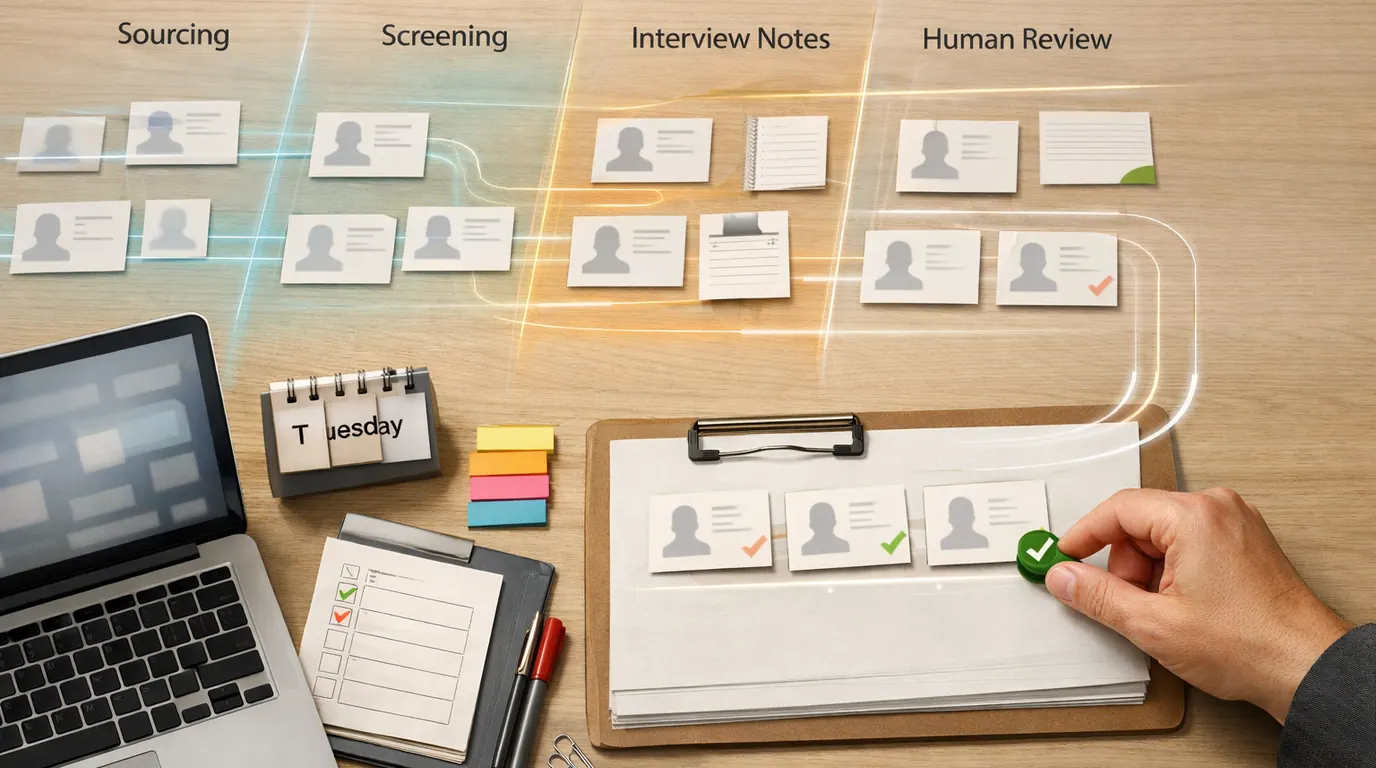
If you searched for “ai recruiting tools,” the useful answer is not a directory of every HR app with an AI badge. The useful answer is a shortlist by hiring job: finding candidates, screening inbound applicants, writing outreach, taking interview notes, scheduling, improving candidate experience, and keeping the final decision accountable.
AI for recruitment works best when it removes a specific bottleneck without hiding judgment. A sourcing agent can surface qualified profiles. An ATS assistant can summarize resumes. An interview tool can capture notes. A generative assistant can draft outreach. None of those outputs should become a final hiring decision without review.
Use this AI recruiting tools guide as a practical buying map. Start with the stage where your team loses the most time, compare named products by that stage, and define the human review point before you connect tools to live hiring workflows.
Pick sourcing, applicant review, outreach, interviews, scheduling, reporting, or ATS workflow before shopping.
The output should show who fits, why they fit, what changed, and what a recruiter must verify.
Keep humans responsible for rejection, advancement, accommodations, score overrides, and candidate communication.
Start With the Hiring Bottleneck
Most AI recruiting tools sound broad because recruiting is broad. In daily work, the pain is usually narrower:
- Sourcing is slow: recruiters search job boards, LinkedIn-style databases, GitHub, portfolios, and old ATS records by hand.
- Inbound volume is high: every open role attracts more resumes than the team can review consistently.
- Outreach is generic: candidate messages either take too long to personalize or sound obviously automated.
- Interview feedback is scattered: notes, scorecards, hiring-manager comments, and debrief decisions live in separate places.
- Scheduling eats the week: candidates, recruiters, hiring managers, and panels create avoidable back-and-forth.
- Reporting is weak: teams cannot see which sources, stages, or screening rules produce qualified hires.
AI recruiting software should turn one of those problems into a cleaner handoff. For example, “review 300 resumes” becomes “review 42 explainable matches and 18 borderline cases.” “Find more senior backend engineers” becomes “compare 25 profiles that match the must-have skills, location rules, and outreach constraints.”
Quick Picks: Best AI Recruiting Tools by Job
Start here if you need the best AI recruiting tools for a shortlist. Pricing, free-plan limits, credits, candidate-data rights, and AI packaging change quickly, so treat the pricing column as a procurement prompt rather than a permanent quote.
| Pick | Best for | Why it fits | Limit | Pricing/free-plan note |
|---|---|---|---|---|
| Workable | Teams that want AI inside an ATS-centered hiring workflow | Workable combines applicant tracking, job distribution, screening, scheduling, AI search, job descriptions, interview questions, and hiring workflows. | It is a bigger system choice. If you already have a strong ATS, migration and admin change may outweigh the AI feature gain. | Workable public pages mention a 15-day free trial and free AI tools. Verify current plan, AI agent packaging, seats, and integrations. |
| Juicebox PeopleGPT | Outbound sourcing, natural-language people search, talent insights, and outreach | Juicebox focuses on finding, verifying, shortlisting, and emailing candidates from a large profile database with search, CRM, and agents. | Sourcing data still needs verification. Review contact accuracy, consent rules, duplicate profiles, credits, and outreach quality. | Juicebox lists a free plan plus paid per-seat and agent plans. Check current prices, contact credits, export limits, and ATS/CRM integrations. |
| Fetcher | Recruiting teams that want AI-assisted sourcing plus candidate outreach support | Fetcher is positioned around passive and active sourcing, screening support, represented pipelines, and integrations with ATS, CRM, email, and Slack. | It is strongest for sourcing capacity, not as a complete replacement for your ATS, interview process, or legal review. | Check current vendor pricing, service model, diversity-goal settings, integrations, and cancellation terms. |
| GoPerfect | Top-of-funnel sourcing, screening, curated profiles, and personalized engagement | GoPerfect emphasizes skills, career patterns, growth signals, curated candidate profiles, feedback loops, and automated email sequences. | A learned scoring model can encode old hiring preferences. Require explainable match reasons and recruiter override records. | Check current pricing, credit model, ATS connection, outreach channels, and whether screening decisions remain reviewable. |
| Eightfold AI | Enterprise talent intelligence, internal mobility, workforce planning, and high-volume hiring | Eightfold is a broader talent intelligence platform with recruiting, talent lifecycle, and agentic interview capabilities for larger organizations. | Implementation, data governance, change management, and compliance review are real work. It is not a lightweight sourcing add-on. | Expect enterprise sales and custom terms. Verify current modules, Oracle or ATS integration details, data controls, and deployment scope. |
| Ribbon | High-volume screening conversations and asynchronous candidate interviews | Ribbon focuses on AI recruiter screens, interviews, instant insights, and candidate handoff to human recruiters. | Interview automation affects candidate experience and accessibility. Review consent, accommodations, scoring logic, and rejection rules. | Ribbon advertises starting for free and demo paths. Check current usage limits, plan terms, and interview-data retention. |
| Metaview | Interview notes, application review, sourcing agents, hiring reports, and recruiter-hiring manager context | Metaview is built around recruiting agents, notetaking, reports, sourcing, application review, and shared context across the hiring team. | Recording and summarization require consent, calibration, and human review. Bad scorecards produce bad summaries. | Metaview advertises a start-free path and demos. Verify current plan limits, integrations, recording controls, and data retention. |
| Pin | Agencies or lean teams that want AI sourcing, outreach, and a free/trial entry point | Pin positions itself around AI sourcing across a large candidate profile set, outreach, ATS-like workflow, and agency placements. | A source-first platform may not replace a mature ATS, structured interviews, or compliance workflows. | Public pages mention a free tier and no-credit-card trial. Verify current limits, monthly pricing, exports, and profile-data terms. |
This is an AI recruiting tools comparison by workflow, not a claim that one vendor is universally best. For procurement, test with the same real role, require vendor answers on data use and auditability, and make the recruiter or hiring manager inspect the shortlist before anyone is rejected or advanced.
How We Chose the Shortlist
This shortlist is based on the supplied research packet, current product positioning from vendor pages available during drafting, and the commercial search intent behind “ai recruiting tools.” It is not a hands-on benchmark, live security review, validated pricing audit, or claim that every product was tested with the same applicant pool.
The evaluation method was workflow-first:
- Clear recruiting job: sourcing, applicant review, outreach, interview notes, screening interviews, scheduling, analytics, or ATS workflow.
- Reviewability: whether a recruiter can inspect source material, match reasons, score explanations, edits, and overrides.
- Candidate impact: whether the product can affect who receives outreach, who is shortlisted, who is interviewed, or who is rejected.
- Handoff quality: whether the output moves into an ATS, CRM, calendar, email system, scorecard, report, or hiring-manager review without copy-paste.
- Risk controls: consent, accommodations, adverse-impact review, data retention, permissions, exports, audit logs, and vendor lock-in.
- Cost shape: whether the purchase is seat-based, credit-based, usage-based, meeting-based, bundled into an ATS, or enterprise-only.
For current product details, verify vendor pages before buying: Workable AI, Juicebox pricing, Fetcher, GoPerfect AI Agent, Eightfold AI, Ribbon, Metaview, and Pin for recruiting agencies. Product names, prices, credits, and integrations can change faster than a hiring plan.
Product Recommendations by Recruiting Workflow
ATS-centered hiring: Workable
Choose Workable when your real problem is not only sourcing, but the full hiring workflow: job posting, applicant tracking, resume review, interview scheduling, candidate communication, offer steps, and hiring-manager collaboration.
Best for: a small or mid-sized company that wants one recruiting operating system instead of a patchwork of sourcing tools, spreadsheets, calendar links, and email drafts.
Human review point: ATS-native AI can feel safer because it lives inside the system of record. Still require recruiters to inspect screening summaries, match labels, interview-question suggestions, and any auto-sourced candidate before those outputs change a candidate’s status.
Outbound sourcing: Juicebox, Fetcher, Pin, and GoPerfect
Outbound is where many AI recruiting platforms are easiest to understand. The recruiter describes the target profile in natural language, the tool searches a large profile pool, produces candidate matches, and helps with outreach.
Juicebox fits teams that want natural-language search, profile discovery, talent insights, and outreach from one sourcing surface. Fetcher fits teams that want a sourcing-oriented workflow with candidate outreach and integrations. Pin is worth comparing for agencies or lean teams that want a free or trial path into AI sourcing. GoPerfect fits teams that want a more agent-like top-of-funnel process across sourcing, screening, and engagement.
Best for: hard-to-fill roles where a recruiter already knows the must-have criteria and needs better coverage, not just more names.
Human review point: require the tool to show why each candidate matched. A profile should not be considered strong because an opaque model says “92 percent fit.” Ask for specific evidence: role history, relevant skills, seniority, industry context, location constraints, compensation assumptions, availability signals, or prior applicant history.
Enterprise talent intelligence: Eightfold AI
Eightfold is a different kind of choice. It is not just a quick sourcing add-on. It is closer to an enterprise talent intelligence system that can support recruiting, internal mobility, workforce planning, talent lifecycle work, and interview-related agents.
Best for: larger organizations with enough hiring volume, internal talent data, governance capacity, and change-management support to justify a platform rollout.
Human review point: enterprise AI tends to touch more data and more decisions. Assign owners for model governance, access permissions, data quality, explainability, accommodations, adverse-impact review, and integration with existing HR systems.
Interview and screening workflow: Ribbon and Metaview
Ribbon is a fit when the bottleneck is high-volume screening and candidate interviews. It can help collect structured candidate responses and deliver insights for a recruiter to review. Metaview is a fit when the bottleneck is interview notes, scorecard consistency, application review, reports, and shared context between recruiters and hiring managers.
Best for: teams that already have structured hiring criteria and need cleaner interview evidence, not teams that are still deciding what good looks like for a role.
Human review point: interview automation is candidate-facing and sensitive. Ask how the vendor handles consent, accessibility, language differences, accommodations, transcript errors, retention, deletion requests, and whether candidates can be evaluated without automated interview analysis.
Lightweight support: Calendly, Grammarly, and free generators
Not every recruiting problem requires a dedicated AI recruiting platform. Calendly can remove scheduling friction. Grammarly can polish candidate communication. Free job-description, interview-question, and email generators can help a recruiter start faster when the stakes are low and a human edits the result.
Best for: founder-led teams, agencies testing a workflow, or HR generalists who need faster drafts and scheduling without changing the applicant-tracking system.
Human review point: lightweight tools are often weakest on auditability, permissions, and hiring-specific compliance. Keep them away from final selection decisions unless your HR, legal, and security owners have approved the workflow.
Compare Tools by Output, Not Feature Count
Use this table before demos. It keeps the AI recruiting tools comparison focused on what the team will actually review.
| Hiring job | Products to compare first | Useful AI output | Human review point |
|---|---|---|---|
| Passive sourcing | Juicebox, Fetcher, Pin, GoPerfect, Workable AI search | Candidate shortlist, match reasons, contact data, outreach draft, source links | Verify skills, identity, contact accuracy, consent rules, compensation assumptions, and outreach claims. |
| Inbound screening | Workable, GoPerfect, Eightfold, Metaview | Resume summary, criteria match, score explanation, shortlists, borderline cases | Review adverse impact, must-have criteria, false negatives, accommodations, and rejection decisions. |
| Candidate outreach | Juicebox, Fetcher, GoPerfect, Pin, Grammarly | Personalized email, follow-up sequence, role summary, objection notes | Remove unsupported claims, fake familiarity, privacy leaks, and over-automated messaging. |
| Interview notes | Metaview, Ribbon, Workable, Eightfold | Transcript, structured notes, scorecard evidence, candidate summary, debrief brief | Check consent, transcript errors, context loss, interviewer bias, and whether the scorecard matches the job. |
| Scheduling and admin | Workable, Calendly, Metaview, ATS scheduling tools | Calendar handoff, reminders, candidate communication, stage updates | Confirm time zones, interview panels, accessibility requests, and candidate instructions. |
| Talent analytics | Eightfold, Workable, Metaview, ATS reports | Source performance, funnel bottlenecks, skills gaps, hiring-manager alignment | Do not treat correlation as causation. Review data quality and protected-class implications. |
For most teams, the right first purchase is not the most complete platform. It is the product that makes one high-friction handoff visible and reviewable.
Works Well When
- The role has clear must-have criteria and examples of strong candidates
- Recruiters can inspect the evidence behind a match or score
- The tool connects to the ATS, calendar, email, or scorecard workflow
- The team can track overrides, false positives, false negatives, and candidate feedback
Watch Out For
- The vendor cannot explain how candidates are ranked or filtered
- The workflow would auto-reject people without human review
- The team has messy job criteria, inconsistent scorecards, or stale ATS data
- The tool requires sensitive candidate data without clear retention and deletion controls
Build a Safe AI Recruiting Workflow
AI recruiting automation tools should operate inside a visible process. A good recruiting AI pilot ends with a named reviewer, a reason code, and a record of what changed in the hiring decision.
Use this five-step workflow:
- Define the role criteria: separate must-have requirements, preferred signals, disqualifiers, interview evidence, and accommodations before turning on AI.
- Select one tool job: source candidates, summarize resumes, draft outreach, take notes, schedule interviews, or prepare reports. Do not automate the full funnel on day one.
- Run a shadow review: compare AI outputs against recruiter review before candidates see any effect. Track false positives, false negatives, and edits.
- Name the human owner: assign who approves shortlists, outreach, interview summaries, score overrides, candidate notices, and final status changes.
- Review after 30 days: keep, change, or stop the workflow based on shortlist quality, recruiter time, candidate experience, compliance findings, and cleanup burden.
The safest first pilots are usually internal drafting, interview note cleanup, inbound resume summaries, or sourcing shortlists that recruiters review before outreach. The riskiest pilots are automatic rejection, black-box fit scores, personality inference, facial-expression analysis, and any workflow that affects protected opportunities without explanation.
For prompt-heavy recruiting work, use the same structure as other AI business workflows: task, context, examples, constraints, format, and review rule. Our guide to writing better AI prompts is useful for outreach briefs and scorecard summaries, and AI productivity tools for teams covers rollout ownership across shared workflows.
Where Free and Low-Budget Tools Fit
Free AI recruiting tools are useful when the output is draftable, editable, and low risk. They are not a substitute for a governed hiring system.
Good low-budget uses include:
- Job description drafts: create a first version, then edit for accuracy, pay transparency, inclusion, and realistic requirements.
- Interview questions: generate structured question options, then map them to role criteria and scorecards.
- Recruiting emails: draft personalized outreach, then verify every claim and remove anything that sounds automated.
- Scheduling: use Calendly or built-in ATS scheduling to reduce back-and-forth without changing candidate evaluation.
- Writing polish: use Grammarly or similar tools for clarity and tone in candidate-facing communication.
- Small sourcing tests: use free or trial plans from sourcing tools to compare result quality before buying credits or seats.
The free-tool rule is simple: use free tools for words and coordination before you use them for selection. If a tool ranks, filters, screens, or recommends rejection, treat it as part of the hiring decision process and require stronger controls.
Risks, Bias, and Human Review
Generative AI recruiting tools can write polished messages, summarize interviews, and explain candidate fit in plain language. That polish can hide weak evidence. A confident summary is still wrong if the resume parser missed context, the scorecard is vague, the interview transcript is inaccurate, or past hiring data contains biased patterns.
In the U.S., employers should pay close attention to EEOC AI publications on automated systems used to make or inform employment selection decisions. New York City’s automated employment decision tool rules can also require bias audits and candidate notices. Requirements vary by jurisdiction, and this article is not legal advice, so involve HR compliance or counsel before using AI to rank, reject, score, or advance candidates.
The practical review checklist:
Do
- Use structured job criteria before AI screening.
- Require explainable match reasons and source evidence.
- Track recruiter overrides and borderline cases.
- Provide accommodation and alternative-review paths.
- Check vendor data use, retention, deletion, and exports.
Do not
- Auto-reject candidates from an opaque score.
- Infer personality, honesty, or culture fit from weak signals.
- Let generated outreach make claims you cannot support.
- Paste sensitive applicant data into unapproved tools.
- Assume a vendor’s fairness claim replaces your own review.
Bias review is not only a legal formality. It improves hiring quality. If the AI keeps excluding career changers, veterans, disabled applicants, parents returning from leave, candidates without prestige-school signals, or people with non-linear work histories, the system may be optimizing for old convenience rather than future performance.
A 30-Day Next-Action Plan
If you are choosing AI recruiting tools this month, keep the pilot small enough to learn from.
Use a live but non-urgent opening. Choose sourcing, inbound review, outreach, notes, scheduling, or reporting.
Run the same role criteria through each product. Do not compare a sourcing tool against an interview-note tool.
Have recruiters review AI shortlists, summaries, or drafts without letting those outputs affect candidates yet.
Check explanation quality, false negatives, candidate data handling, ATS sync, human edits, and review ownership.
Buy, revise, or stop based on shortlist quality, recruiter time saved, candidate experience, and risk controls.
For a small team, a good first win is AI-assisted sourcing or resume summarization with recruiter approval. For a larger team, start with one business unit and one role family before expanding across regions or departments.
The Bottom Line
AI recruiting tools are worth using when they make hiring work more explainable, not just faster. Start with the bottleneck, pick products by workflow, test with real roles, and keep human review attached to every candidate-impacting decision.
If you need outbound talent coverage, compare Juicebox, Fetcher, Pin, and GoPerfect. If you need ATS-centered workflow, compare Workable. If you need enterprise talent intelligence, evaluate Eightfold. If you need interview or application-review support, compare Ribbon and Metaview. If you only need drafts, scheduling, or message polish, start with low-risk tools before buying a full platform.
The best system is boring in the right way: every candidate has a clear status, every AI recommendation has a reason, every rejection has a human owner, and every pilot teaches the team what to improve next.
Frequently asked questions
What are AI recruiting tools?
AI recruiting tools are software products that help with sourcing, screening, outreach, interview notes, scheduling, candidate engagement, analytics, or ATS workflow. The useful version does not replace a recruiter. It prepares a clearer shortlist, explanation, draft, or handoff that a human can review.
What is the best AI recruiting tool?
There is no single best AI recruiting tool for every team. Juicebox and Pin fit outbound sourcing, Workable fits ATS-centered hiring, Eightfold fits enterprise talent intelligence, Ribbon fits high-volume screening, and Metaview fits recruiting notes and application review. Match the product to one hiring job first.
Are free AI recruiting tools enough?
Free AI recruiting tools can help with job descriptions, interview questions, scheduling links, email polish, and small sourcing experiments. They are usually not enough for regulated selection decisions, team permissions, audit trails, ATS sync, candidate data controls, or high-volume applicant review.
Can AI recruiting tools reject candidates automatically?
Avoid letting AI reject candidates without a documented review process. Automated ranking, filtering, interview scoring, or shortlisting can affect employment opportunity, so teams need explainable reasons, adverse-impact review, accommodation paths, audit logs, and a named human owner for final decisions.
How should a small company choose AI recruiting software?
A small company should choose one painful workflow, such as sourcing passive candidates or reviewing inbound applicants, then test two or three products with the same role. Compare shortlist quality, recruiter edit time, candidate experience, ATS handoff, data controls, and total cost before scaling.
What risks matter most with AI for recruitment?
The biggest risks are biased screening, weak data, unsupported outreach claims, poor candidate experience, privacy exposure, accessibility problems, vendor lock-in, and unclear accountability. Treat AI as decision support, not a silent gatekeeper, and involve legal or HR compliance before automated selection.





