
If you searched for “chatgpt prompts for social media”, you probably do not need another list of 100 caption formulas. You need prompts that help you plan what to say, adapt it for each platform, and avoid publishing a polished but hollow post.
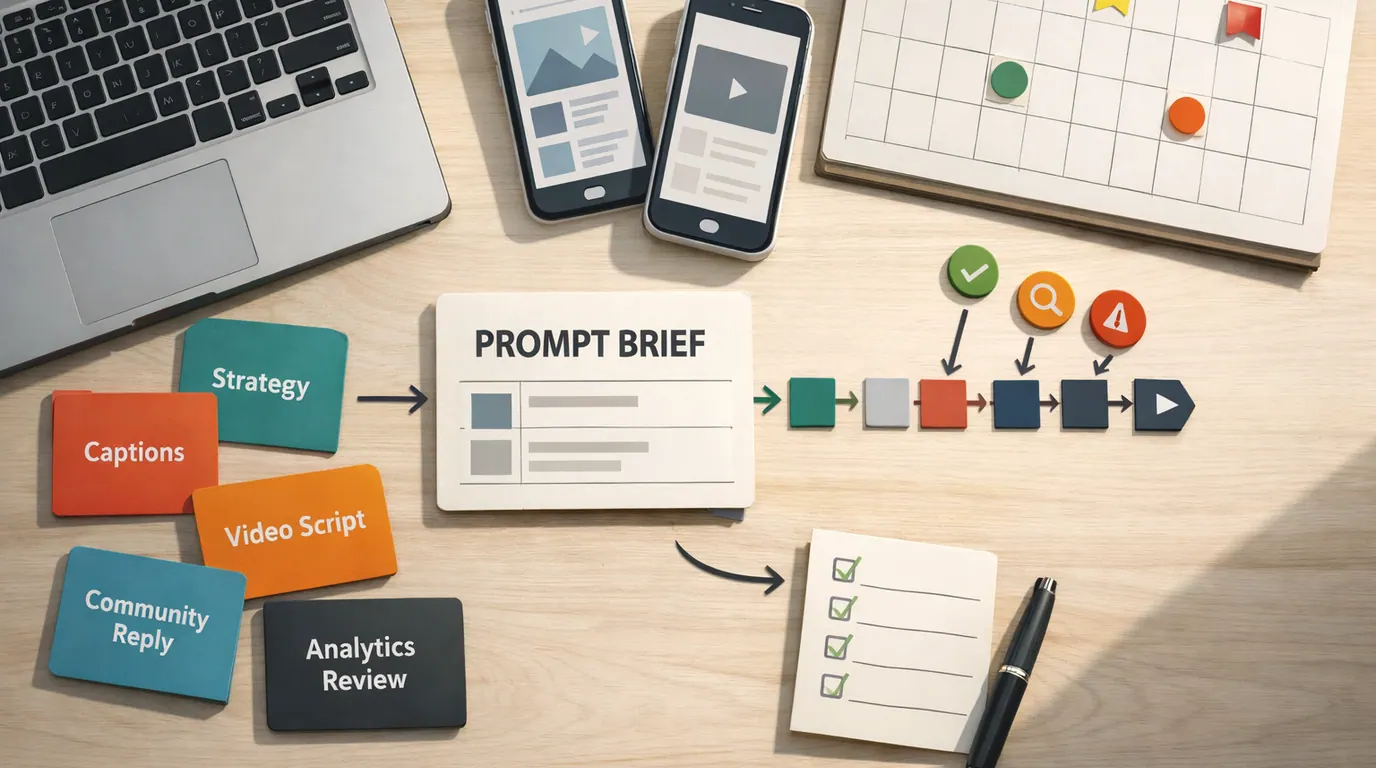
ChatGPT prompts for social media work best when they behave like small creative briefs. They tell the model the platform, audience, goal, source material, tone, format, and review standard. Without that context, ChatGPT will fill the gaps with generic hooks, vague benefits, and engagement bait.
The best ChatGPT prompts for social media do not ask the model to be “viral.” They help you create useful options faster, then make the human review easier. A good social prompt is a small editorial brief with a publishing risk check attached.
Give ChatGPT a real blog post, offer, customer question, product note, event brief, or campaign angle.
Ask for several angles so a human can choose the strongest idea, not one final caption to publish blind.
Check facts, voice, claims, visual fit, customer context, platform norms, links, and timing before posting.
ChatGPT Prompts for Social Media Strategy: Start With the Brief
Use ChatGPT prompts for social media strategy before you ask for captions. Strategy prompts should define who you serve, what you want the audience to do, which channels matter, and what proof you can safely use.
This ChatGPT prompts for social media guide uses a simple setup:
Brand or creator: [who is publishing]
Audience: [who should care, what they know, what they want, what they resist]
Platform: [LinkedIn, Instagram, TikTok, YouTube Shorts, X, Threads, Facebook, Pinterest]
Goal: [awareness, education, engagement, leads, event signups, product adoption, retention]
Source material: [blog post, launch note, customer question, transcript, case study, product page, research notes]
Content pillar: [education, opinion, proof, behind the scenes, community, product, customer story]
Voice: [plain, expert, founder-led, warm, witty, direct, technical, playful]
Constraints: [claims to avoid, regulated topics, banned words, length, links, visuals, accessibility]
Output: [table, hooks, captions, script, calendar, reply options, report summary]
Human review: [facts, privacy, brand voice, platform fit, customer sensitivity, legal/compliance]
That brief is intentionally plain. If you want the broader prompting pattern behind it, use the task, context, criteria, format, and review structure in our guide to writing better AI prompts.
Many readers shorten the query to ChatGPT prompts for social, but the real job is bigger than captions. A strong prompt should help you choose the angle, shape the asset, and decide what a human must verify before publishing.
Prompt Library: ChatGPT Prompts for Social Media Examples by Job
The ChatGPT prompts for social media examples below map common use cases to the kind of output you should request. Use the table as a practical map of ChatGPT prompts for social media use cases, then copy the templates in the next section.
| Social media job | Use when | Ask ChatGPT for | Human review point |
|---|---|---|---|
| Strategy and positioning | You need content pillars, audience assumptions, or a campaign angle before drafting | Audience pains, content pillars, message angles, proof needed, risks | Check against real customer data, positioning, and business priorities. |
| Content calendar | You need a weekly or monthly plan without repeating the same post type | Themes, post ideas, formats, platform mix, source assets, review owners | Remove filler topics and anything that exists only to fill a slot. |
| Platform-specific captions | You have one idea and need versions for LinkedIn, Instagram, X, or Threads | Hooks, captions, CTAs, hashtags, length options, tone variants | Edit for platform norms, brand voice, and whether the hook is honest. |
| Short-form video | You need TikTok, Reels, or Shorts ideas from a campaign or source asset | Hooks, scene beats, narration, overlay concepts, shot list, CTA | Check feasibility, accessibility, claim accuracy, and whether the visual can carry the idea. |
| Carousel or visual concept | You need an educational sequence or design brief before opening a design tool | Slide flow, visual hierarchy, key points, suggested imagery, accessibility notes | Verify that every slide earns its place and has enough source support. |
| Repurposing | You want one blog post, webinar, newsletter, or podcast to become several posts | Angle map, platform variants, quote pulls, video snippets, post sequence | Make sure every variant fits the channel instead of copying the same wording everywhere. |
| Community replies | You need options for comments, questions, objections, or complaints | Reply options by tone, escalation flags, clarifying questions, do-not-say notes | Use customer history and support rules before replying. |
| Trend response | You want to comment on a topic without forcing a weak brand tie-in | Relevance check, audience fit, possible angles, risk level, publish-or-skip advice | Avoid jumping into sensitive news, tragedy, politics, or topics outside your credibility. |
| Analytics and reporting | You need to turn post metrics into a plain-language readout | Top patterns, weak posts, likely hypotheses, next tests, questions to verify | Check calculations and avoid treating correlation as causation. |
| Pre-publish critique | You have drafts and want a second-pass editor | Risk flags, vague claims, tone problems, accessibility checks, stronger alternatives | Make the final decision yourself, especially on claims and sensitive topics. |
The goal is not to run every prompt every week. Pick the blocked workflow: planning, drafting, adapting, replying, reporting, or reviewing. If your bottleneck is scheduling, visual production, listening, or approvals rather than prompts, compare dedicated options in our guide to AI tools for social media.
Copyable ChatGPT Prompts for Social Media
These prompts are templates, not finished posts. Replace the brackets with real context, paste source material when you have it, and keep the review instruction at the end.
1. Social media strategy prompt
Use this when you need a plan before a calendar. It is especially useful for founders, creators, small businesses, and marketers who post inconsistently because every post starts from zero.
Act as a practical social media strategist.

Brand or creator: [name and what we do]
Audience: [who we serve, their role or identity, what they care about, what they resist]
Business goal: [awareness, leads, sales, retention, education, community, hiring]
Platforms: [channels we will use]
Source material: [paste product notes, offer details, customer questions, blog excerpts, campaign notes]
Current problem: [inconsistent posting, weak engagement, unclear pillars, too much promotion, no repurposing]
Voice: [tone and examples]
Constraints: [claims to avoid, compliance concerns, time, team capacity, topics off limits]

Create:
1. Five content pillars
2. Three audience assumptions to verify
3. Ten post angles grouped by pillar
4. A simple weekly posting rhythm
5. Proof or source material needed for each pillar
6. Risks that should stop us from publishing
7. First five actions for this week

Do not invent customer data or statistics. Flag anything that needs human verification.
Human review: compare the pillars with real audience questions, customer language, and current business goals. A neat content pillar is not useful if nobody on the team can produce proof for it.
2. Content calendar prompt
Use this when you have enough topics but need a repeatable schedule. It works best after you have chosen pillars.
Create a 30-day social media content calendar for [brand or creator].

Audience: [specific audience]
Platforms: [platforms]
Goal this month: [launch, education, community, leads, event, retention, awareness]
Content pillars: [3 to 6 pillars]
Source assets: [blog posts, newsletters, customer FAQs, videos, webinars, product updates, case studies]
Posting capacity: [posts per week, team members, design/video limits]
Voice: [tone]
Do not include: [topics, claims, formats, or trends we should avoid]

Return a table with:
- Date or week
- Platform
- Post format
- Hook or angle
- Source asset
- Draft CTA
- Visual idea
- Human review owner
- Why this post belongs in the calendar

Prioritize variety and usefulness over volume.
Human review: delete weak calendar items. If the idea does not help the audience think, decide, solve, compare, or act, it is probably schedule filler.
3. Platform caption prompt
Use this after you have a real source asset. This is where many ChatGPT prompts become too generic, so make the model work from proof instead of vibes.
Act as a social media editor.

Platform: [LinkedIn, Instagram, X, Threads, Facebook, Pinterest]
Audience: [who will read it]
Source material: [paste the source or summarize the approved facts]
Goal: [comments, saves, clicks, shares, replies, event signups, demo requests, education]
Voice: [brand voice]
Visual context: [what the image, carousel, video, or link preview will show]
CTA: [what the reader should do next]
Avoid: [unsupported claims, hype words, sensitive topics, banned phrases]

Write:
- 5 hook options
- 3 complete caption options
- 2 shorter alternatives
- Suggested hashtags only if they are specific and not spammy
- One note explaining which option is strongest and why

Mark any claim that needs verification before publishing.
Human review: a good caption should fit the visual, the platform, and the audience’s current awareness level. Cut any line that could apply to almost any brand.
4. Short-form video prompt
Use this for TikTok, Reels, and YouTube Shorts when the idea needs motion, sequence, or a face-to-camera structure.
Turn this source material into short-form video concepts.

Platform: [TikTok, Instagram Reels, YouTube Shorts]
Audience: [who should watch]
Source material: [paste approved notes, article, product update, customer question, or transcript]
Goal: [teach, challenge a misconception, show a process, tease a launch, answer a question]
Creator style: [talking head, screen recording, product demo, behind the scenes, voiceover, interview clip]
Length target: [15 seconds, 30 seconds, 60 seconds]
Constraints: [what we can film, what we cannot show, claims to avoid]

Return 5 video ideas. For each idea include:
- Hook
- Scene beats
- Spoken outline
- Suggested visual or prop
- Caption angle
- CTA
- Risk or fact-check note

Do not suggest visuals we cannot realistically produce.
Human review: short-form ideas often look better in text than in production. Check whether you can actually film the scenes, whether the first seconds make sense without sound, and whether the claim survives a fast scroll.
5. Repurposing prompt
Use this when you already made something substantial, such as a blog post, webinar, podcast, guide, customer story, or newsletter.
Repurpose this source asset into a one-week social media sequence.

Source asset: [paste or summarize the approved asset]
Audience: [who the sequence serves]
Platforms: [platforms]
Goal: [educate, drive traffic, build trust, support launch, answer objections]
Voice: [tone]
Constraints: [claims to avoid, length, visuals, schedule, approval rules]

Create:
1. A one-sentence thesis for the sequence
2. Seven post ideas with platform, format, hook, and source excerpt
3. One short-form video idea
4. One carousel or visual sequence idea
5. Two community questions to encourage useful replies
6. A recommended order for publishing
7. A checklist of facts and claims to verify

Preserve the meaning of the source. Do not add new facts.
Human review: repurposing should not turn one article into seven identical posts. Change the angle, format, and level of detail for each platform.
6. Community reply prompt
Use this for comments, public replies, and DMs where tone matters. Keep private data out of unapproved tools.
Help draft reply options for this social media comment.

Brand context: [what we do and how we speak]
Platform: [platform]
Comment or question: [paste only what is appropriate to share]
Customer context I can safely include: [public or non-sensitive context]
Goal: [answer, thank, clarify, de-escalate, redirect to support, invite follow-up]
Tone: [calm, helpful, warm, direct, apologetic, concise]
Escalation rules: [when a human support/legal/sales owner must step in]
Do not say: [promises, policy claims, private details, blame, medical/legal/financial advice]

Return:
- 3 reply options
- A short note on the risk level
- A recommended escalation path if needed
- One clarifying question if the context is not enough
Human review: never let AI own the relationship. A complaint, refund request, safety concern, legal question, or sensitive customer issue needs a real owner and a real support path.
7. Analytics summary prompt
Use this after exporting or copying a small metrics table. Keep the data clean and avoid private information.
Analyze these social media results for a practical content review.

Context: [campaign, month, platforms, audience, goal]
Metrics: [paste post title, platform, format, date, impressions, reach, engagement, clicks, saves, comments, conversions if available]
Important notes: [campaign dates, paid support, holidays, platform changes, unusual events]

Return:
- Top 5 observed patterns
- Posts that overperformed and possible reasons
- Posts that underperformed and possible reasons
- Hypotheses we can test next month
- Content formats to repeat, revise, or stop
- Questions that require human investigation

Do not infer causation from correlation. If the data is too thin, say so.
Human review: verify the numbers, date ranges, paid versus organic distribution, and whether the conclusion matches the actual business goal. A post with high likes can still fail if the goal was qualified leads.
A Repeatable ChatGPT Prompts for Social Media Workflow
Use this ChatGPT prompts for social media workflow when you want social content to become a repeatable operating loop instead of a set of one-off chats.
- Collect the source. Start with something true: a customer question, product update, blog post, webinar transcript, review theme, event brief, or analytics note.
- Choose the job. Decide whether you need strategy, a calendar, captions, video ideas, repurposing, replies, or analysis.
- Brief the model. Add platform, audience, goal, voice, constraints, source material, output format, and review rule.
- Ask for options. Request several angles and make ChatGPT explain which one is strongest. This gives you something to judge.
- Run a critique pass. Ask the model to mark vague claims, unsupported facts, tone risks, platform mismatches, and missing context.
- Edit as the publisher. Add lived experience, current context, product nuance, customer language, and the parts only your brand can say.
- Save the useful pattern. Keep the prompt, source, final post, review notes, and result together so your next prompt gets sharper.
For broader campaign work, pair this with the planning templates in ChatGPT prompts for marketing. Social posts usually sit inside a campaign, launch, content pillar, or audience education path; they should not be optimized in isolation.
Adjust Prompts by Platform
The same message should not be pasted everywhere. Platform-specific prompts help you preserve the core idea while changing structure, density, visual assumptions, and CTA.
| Platform | Prompt adjustment | Good output | Watch for |
|---|---|---|---|
| Ask for a clear point of view, a practical example, and a discussion question for a professional audience. | A concise post with a defensible claim, context, example, and non-cringe CTA. | Overly dramatic hooks, fake vulnerability, and generic thought-leadership language. | |
| Give visual context and ask for captions that support the image, carousel, Reel, or Story. | Caption options that match the visual, use a clear CTA, and suggest useful accessibility notes. | Captions that ignore the image or rely on vague inspiration. | |
| TikTok or Reels | Ask for scene beats, a first-second hook, spoken outline, visual prop, and realistic filming constraints. | Short video concepts that can actually be filmed and understood quickly. | Ideas that require impossible production or make claims too fast to explain. |
| X or Threads | Ask for short post options, thread structures, crisp opinions, and replies that invite useful conversation. | Tight posts with one idea each and optional thread expansion. | Engagement bait, context collapse, and jokes that do not fit the brand. |
| YouTube Shorts | Ask for a compact educational arc: hook, setup, one useful point, visual cue, and next action. | A focused script that works with audio, captions, and a clear visual sequence. | Trying to squeeze a full tutorial into a short clip. |
| Facebook or community groups | Ask for a helpful tone, local or community context, and reply-friendly questions. | Posts that feel conversational and useful instead of broadcast-only. | Over-promotion, private customer details, and posts that ignore group norms. |
This is where ChatGPT prompts become useful editing tools. When you ask for platform-specific variants, you can compare the outputs and choose the version that needs the least repair.
Human Review Checklist Before Publishing
Turn this section into a ChatGPT prompts for social media checklist for your team. Add it to the end of any prompt when the post could affect trust, customers, or revenue.
Before finalizing, review this draft for:
1. Unsupported claims, invented facts, or missing source material
2. Brand voice mismatches and phrases that sound generic
3. Platform fit, length, formatting, hashtags, CTA, and visual context
4. Privacy, customer data, regulated topics, and sensitive situations
5. Accessibility issues, including captions, alt text needs, and readability
6. Tone risks for comments, replies, complaints, or crisis-adjacent topics
7. Whether the post gives the audience a useful reason to care

Return a table with: Issue, Why it matters, Suggested fix, Human owner.
Use this checklist even when the draft looks good. AI-generated social copy often fails quietly: it says nothing false, but it also says nothing specific enough to earn attention.
Common Mistakes That Make AI Social Content Generic
Most weak AI social posts come from weak inputs. The model can polish a vague idea, but polish is not strategy.
- Asking for volume before direction: A 30-day calendar is not useful if the pillars, offer, and audience are unclear.
- Skipping source material: Without real inputs, ChatGPT defaults to broad claims and familiar advice.
- Using the same prompt for every platform: A LinkedIn post, carousel caption, short video script, and reply thread need different structures.
- Publishing the first draft: The first output is usually a starting point. Ask for critique, then edit.
- Letting AI answer sensitive comments: Drafting options is fine; relationship judgment stays with a person.
- Forgetting the visual: Captions should support what the audience sees, not act like disconnected ad copy.
- Confusing engagement with usefulness: Questions, hooks, and CTAs should serve the audience, not only chase reactions.
The better habit is simple: brief, generate, compare, critique, edit, publish, learn. ChatGPT prompts help most when they make that loop faster and more consistent.
The Bottom Line
The strongest ChatGPT prompts for social media are not clever one-liners. They are structured briefs that connect platform, audience, source material, goal, format, and human review.
Start with one real asset this week: a blog post, product update, customer question, or short video idea. Use the strategy prompt if your plan is unclear, the repurposing prompt if you have good source material, or the review checklist if you already have drafts. Then save the final prompt and result so your next social media workflow starts from evidence, not a blank page.
Frequently asked questions
What should I put in a ChatGPT social media prompt?
Include the platform, audience, goal, source material, brand voice, format, constraints, and review rule. A prompt that only asks for captions forces ChatGPT to guess; a brief with real product details, customer language, and publishing context gives you drafts that are easier to edit.
What are the best ChatGPT prompts for social media?
The best prompts are tied to a job: strategy, content calendars, caption variants, short-form video scripts, repurposing, comment replies, social listening summaries, and analytics reviews. They ask for options, assumptions, and human checks instead of one finished post.
Can ChatGPT create a full social media strategy?
ChatGPT can organize a strategy draft, audience assumptions, content pillars, posting themes, campaign sequences, and measurement questions. It should not be treated as market research by itself. Validate the plan with audience data, customer questions, platform behavior, and business goals.
How do I make AI social media posts sound less generic?
Give ChatGPT real source material: product notes, customer quotes, founder opinions, examples of posts you like, and phrases your brand avoids. After the draft, ask it to mark vague claims, replace filler with concrete details, and explain which lines still need human judgment.
Is it safe to use ChatGPT for customer comments or DMs?
Use ChatGPT for reply options, tone checks, and escalation drafts, but do not paste sensitive customer data into an unapproved tool. Complaints, refunds, legal concerns, health claims, financial issues, safety problems, and angry conversations need a human owner before any response is published.
How often should I use ChatGPT for social content?
Use it where it reduces blank-page work and editing time: idea generation, variations, repurposing, and reporting summaries. Keep your highest-stakes posts, founder opinions, customer stories, crisis responses, and strategic decisions under direct human writing or heavy human editing.





